
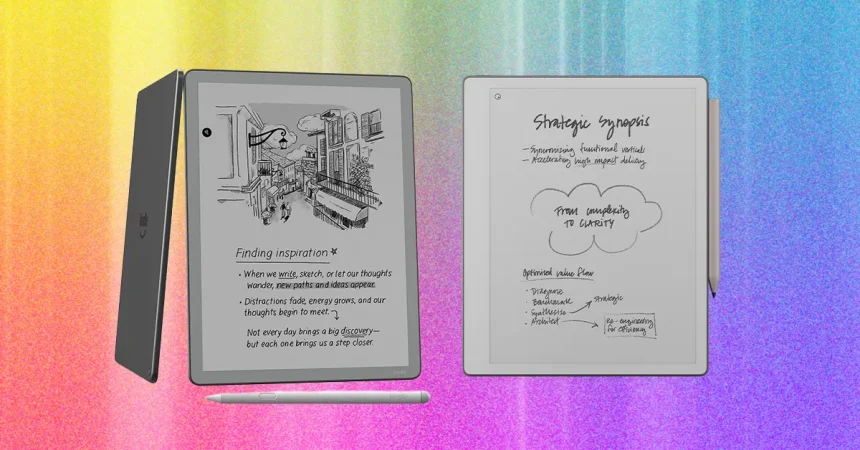
When it comes to choosing between a Kindle Scribe and a ReMarkable device, you are essentially deciding between a dedicated digital library and a sophisticated professional notebook. The Kindle Scribe stands out for its seamless integration into the reading experience. I particularly love the stylus design on the Scribe, which features a dedicated button that lets you toggle into highlight mode instantly. It turns the tedious process of switching between underlining, writing, and highlighting into a fluid, almost thoughtless motion. While the ReMarkable is undeniably a leader when it comes to the tactile, “scratchy” paper feel of its nib, I’ve found the Scribe to be more practical for daily use. Not only does it avoid the hidden cost of needing to buy separate, specific eraser nibs, but the second-generation model is thinner and more ergonomic, fitting comfortably in the hand for extended writing sessions.
If your primary goal is to curl up with a good book, the Kindle Scribe is the clear winner for its convenience. The ReMarkable, while highly capable, treats reading more like a secondary function rather than its core purpose. With a ReMarkable, you are forced to curate your own digital library, manually sourcing PDF or ePUB files and uploading them through an app. For someone who just wants to browse a bookstore and dive into a narrative, this extra friction can be a dealbreaker. The Kindle, by contrast, is a gateway to a massive ecosystem. You can purchase books instantly via the Kindle Store, sync your library loans through the Libby app, or pull in documents via a web browser or USB cable. It’s built for the reader who wants the device to do the heavy lifting.
On the other hand, if your life revolves around productivity, organizing your thoughts, and managing professional workflows, the ReMarkable Paper Pure is in a league of its own. It ignores the distractions of a bookstore and doubles down on software that turns your digital notepad into a command center. While it lacks a front light, its internal architecture mirrors the top-tier Pro models, offering deep compatibility with cloud services like Google Drive and Microsoft. It isn’t just a place to scribble; it’s an intelligent workspace where you can convert messy, handwritten notes into clean, typed text. Its AI-driven handwriting search is particularly impressive, feeling less like a basic search bar and more like a tool that actually understands the context of your notes.
The software experience on the ReMarkable feels tailored for the “thinker” or the planner. With their recent updates, they’ve introduced features like calendar-based note-taking, which transforms the device from a blank slate into a structured planning assistant. Being able to share documents easily with colleagues who don’t even own a ReMarkable makes it a much more collaborative tool than the solitary Kindle environment. However, there is a catch: to unlock the full potential of these features—especially the convenient cloud syncing—you really need the “Connect” subscription. It’s only a few dollars a month, but it acts as the digital connective tissue that keeps your notes available across your phone, laptop, and tablet.
Choosing between these two comes down to how you define “productivity.” For most users, “productivity” means having the right information accessible the moment they need it. The Kindle Scribe excels at providing access to information, whether that’s a dense research paper or the latest bestseller, ensuring that your reading materials are always just a tap away. It feels like a consumer device meant for enrichment, ease, and decompression. The Scribe’s hardware is designed to disappear into the background, letting you focus entirely on the text, which is an underrated strength for anyone who spends their day staring at computer monitors and just wants a more natural way to engage with their reading.
Ultimately, these devices serve two very different types of personalities. If you want a device that simplifies your life by putting your library into your palm with minimal setup, you are a Kindle person. The software is reliable, the hardware is sleekly ergonomic, and the stylus functionality is incredibly thoughtful for annotation. However, if you are looking for a digital “brain”—a place to manage projects, annotate complex documents, and organize your daily schedule through AI-enhanced handwriting—you should look toward the ReMarkable. It is a more robust tool for creators and professionals. One is a master of the reader’s experience, while the other is a master of the writer’s workflow; neither is “better” than the other, provided you know exactly what you need it to solve for your daily life.