

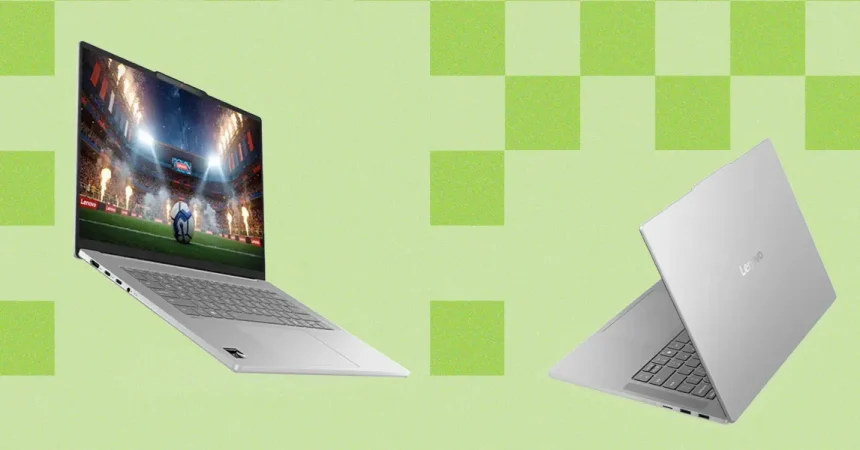
When you first pick up the Lenovo IdeaPad Slim 5x, the first thing you notice is how much thought went into the physical layout. Unlike many manufacturers who force a cramped number pad onto every 15-inch machine, Lenovo made the bold, correct choice to stick with a standard, centered keyboard layout. This provides a generous amount of room for your wrists, making long typing sessions genuinely comfortable. Remarkably, it achieves this spaciousness without feeling like a behemoth; its footprint matches the 15-inch MacBook Air almost perfectly, with only a marginal difference in thickness. If you’re looking for a laptop that can slide into a backpack for a day of coffee-shop hopping or business travel, this machine is surprisingly portable.
One of the greatest fears when buying a budget-friendly laptop is ending up with a “cheap” touchpad—that clunky, frustrating surface that skips or refuses to register a click. I’m happy to report that Lenovo has side-stepped this trap entirely. The tracking surface on the Slim 5x feels responsive and fluid, consistently outperforming competitors like the Asus Vivobook or the HP OmniBook series. While it holds its own against the Dell 14 Plus, it does have one quirk: the physical click is a bit loud. While I’ll happily take a high-performing surface over a silent one, you might want to be mindful if you’re working in a library or a shared office space, as your neighbors will definitely hear your work ethic in action.
Moving on to the multimedia side, the IdeaPad Slim 5x delivers an experience that is best described as “pleasantly capable.” The speakers won’t replace a high-end studio setup or outshine the rich, bass-heavy profile of a MacBook, but they are significantly better than the tinny, thin audio typically found in this price bracket. You can comfortably jump on a Zoom call or watch a movie without reaching for external audio immediately. The webcam, however, remains a standard affair; it performs well in bright, natural light, but it doesn’t offer any magic tricks for dim settings. It’s a functional tool that gets the job done as long as you aren’t expecting cinematic quality.
Under the hood, the choice of the Qualcomm Snapdragon X2 Plus processor is a fascinating one. While it isn’t going to dethrone the Apple M5 in a head-to-head performance battle, it doesn’t really need to. Lenovo understands exactly who this laptop is for: everyday users, multitaskers, and office professionals. In my own testing, which involved juggling a messy hive of browser tabs, several heavy work apps, and constant streaming, the laptop didn’t stutter or slow down a single time. It provides more than enough power for the daily grind, proving that you don’t always need the most expensive high-performance chip to get a smooth, responsive experience.
This performance is complemented by a display that is, frankly, a pleasant surprise. Many budget laptops suffer from dim, washed-out screens, but the Slim 5x offers colors that pop and a brightness level that feels premium. The touchscreen functionality is a wonderful inclusion, adding a layer of convenience for scrolling through documents or presentations. Furthermore, Lenovo opted for a subtle, refined anti-glare coating over the typical distracting matte finish. The result is a screen that is crisp and clear, successfully eliminating harsh reflections without making the glass look dull or grainy.
At the end of the day, the IdeaPad Slim 5x is a masterclass in smart compromise. Lenovo has trimmed the fat where it wasn’t needed—like omitting an unnecessary number pad or using an efficient mid-tier processor—to ensure that the parts that actually matter, like the keyboard, touchpad, and screen, feel high-end. It isn’t an esports rig or a workstation for professional video editors, but for the vast majority of people, it is a travel-ready powerhouse that delivers where it counts. It offers a level of refinement that punchy marketing specs often hide, proving that a well-balanced laptop is worth far more than the sum of its internal parts.