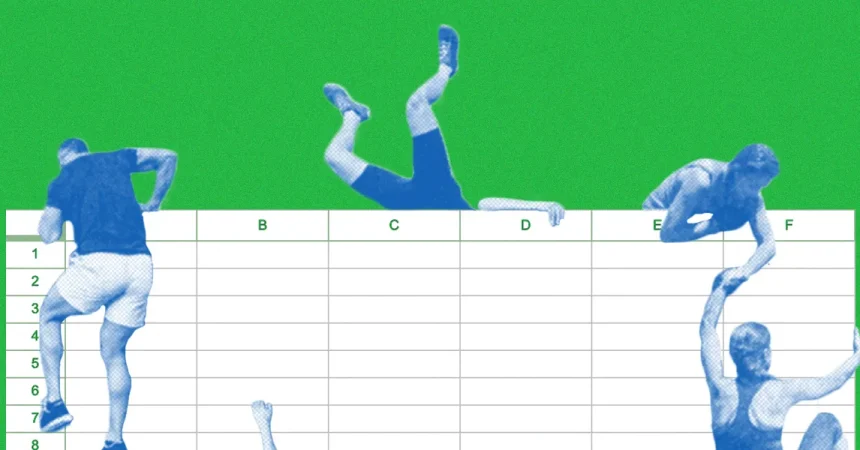
Let’s be honest: most of us have a love-hate relationship with Microsoft Excel—and for many, it’s mostly hate. You may have lied about being “proficient” at spreadsheets to get a job, then spent the next three years desperately clicking commands and hoping no one watched you type “=SUM(B2:B7)” one cell at a time. Maybe you sort of understand pivot tables but you’d rather build a pillow fort than build a financial model. The grid, the tabs, the ribbons, the hidden menus—Excel can feel less like a computer program and more like a puzzle designed to make you feel inadequate at 3 p.m. on a Tuesday. So it’s comforting to know that even the most successful professionals, the ones who live in the bloated spreadsheet’s imaginary hallways of buttons, admit it’s not exactly intuitive. But here’s the funny thing: every one of those fearful users, all of us who’ve ever misclicked a formula or accidentally printed a giant blank sheet, belong to a community far larger than we think. Microsoft claims there are hundreds of millions of Excel users worldwide, scattered across every office but also, increasingly, across the creator platforms of social media. What we tend to ignore is that among those millions are people who aren’t just tolerating Excel. Some are excited by it. Some are wildly, shamelessly, wonderfully obsessed with it. They make careers from it, they compete in front of ticketed crowds, they post videos of themselves speeding through spreadsheets like Ninja warriors hunting pixels. And they hope, above all else, to teach us that Excel is not a punishment. It’s not even just a work tool. For a growing community of weirdly talented content creators, Excel is a playground, a stage, a source of beauty—and sometimes, let’s face it, a spectacular way to show off.
Now that might sound almost absurd. Excel is not often the first thing you think of when you hear the words “thrilling” or “entertaining.” But this community has found a way to make spreadsheet mastery feel like a sport. For years deep in finance, data consulting, operations and accounting, their unsung heroes were building libraries of formulas, discovering keyboard shortcuts, and turning repetitive processes into clean, fluid flows of keystrokes. They recorded themselves racing through what they call Excel obstacle courses or speedruns, where the goal is to complete a set of tasks—fill this column, format this table, use a pivot in one move—as fast as a humanly possible, no mouse, no menu hunting, just fingers dancing over the keyboard with lightning speed. It’s fast. It’s methodical. And it’s also strangely thrilling to watch: with a click of a trackpad, a cell that would take you five minutes to figure out is formatted, labeled, and calculated before your brain recognizes what happened. There are championships, timing tables, reaction fame. The subculture has become so embedded the organizers host official Excel championships with prize money and bragging rights for the fastest competitors in the world. But the irony is that these platforms aren’t about crushing the opponent. They’re about helping each other level up. Anyone can watch a video of a champion running through their nightly routine and feel like they’ve also just joined some secret knowledge club. The viewers aren’t simply passive consumers—they’ll ask questions, they’ll try to replicate the tricks, they’ll share moments of wonder when they finally understand why a certain shortcut saves so much time. The goal, always, is not to make you feel bad for not yet being a master. It’s to make you want to try to be one, and to give you the key to the door.
Dan Kidney is a perfect example of someone who stumbled into Excel’s hidden magic and then became a teacher-al now his audience tends to call him a celebrity of sorts. Living in London and working as an insurance data analyser, Kidney says he “accidentally” upgraded his Excel skills while juggling numbers and building his own ecommerce business. He didn’t start out wanting to teach anyone. In fact, he never expected his own personal experiments to take off at all. But in a planned break from employment, he decided to start posting a couple of learn-from-home videos to TikTok. What began as simple beginner tips soon became something more playful. He designed his own Excel obstacle course—a set of chunky sheets with random, sequential problems, all arranged like a race track. When he shared a clip of himself navigating the challenge at full speed, the video exploded. It received a million views in a matter of days, and commenters were amazed that he’d already completed one page before they even had time to read the instructions. The effect was delightfully surreal: people who wouldn’t normally admit they watched an Excel video on the weekend suddenly couldn’t stop talking about it. Kidney post, but more importantly, he kept going. Now, under the name “Functional Excel,” his Instagram and TikTok pages combined have over 300,000 followers. They tune in to watch him fly through cell ranges, manipulate formatting with shortcuts, shape numeric data into beautifully organized charts, and he does it with a calm that feels both impressive and oddly meditative.
What’s even more rewarding, Kidney says, is watching the ripple effect that his bizarre online experiments have had. You might expect an Excel player with such a niche audience to have the only community of nerds and data guys in amusement. But his followers have turned out to be teachers, students, aspiring analysts, and even teenagers who hate math. He discovered that a schoolteacher in rural Germany had seen his videos and decided it was not enough just to watch them; she assigned her students to practice Excel using his templates. The result was a small class competition, turning something boring and technical into a playground of friendly rivalries and pleasantly shared victories. That moment, in all candor, shifted his relationship to the whole enterprise. Kidney didn’t want to be a celebrity content machine—he wanted to help people feel less intimidated. So besides speedruns, he has built templates that people can actually use, including the types of exercises he posts, and he keeps his content as accessible and hands-on as possible. The goal is to give every viewer a chance to try the activity at home. “I never expected to teach others the tricks I had learned,” he says. “But now it’s a big part of what I do, and I love it when someone writes in and says I just made a formula work for the first time.” His story is not isolated. It’s a larger theme among influencers in this niche: there is an irrepressible community gene that lives inside every speedrunner. They strive for the glory, the record times, and the trick shots, but when that’s done, they turn on the mic and say “hey, so do you want to try it yourself?” They coach you. They offer tips. They build for raising the floor, not just the ceiling.
You can also find the flip side of that approach: the hardcore performance, the side that tells users to go faster, cut corners, and quit being soft on yourselves. Jonathan Tristan—who posts as “Your Finance Brother” to about 700,000 followers—is a 29-year-old former investment banker who now makes videos for a living. He has a very specific and a fairly aggressive view about how you should handle Excel. “Your Excel skills suck,” he says bluntly at the beginning of one of his most popular clips, then demonstrating how he can glide through a spreadsheet without ever touching a mouse. His strategy? The spreadsheet should be controlled entirely with the keyboard. So if you want to be an expert, put down your device, hfirst and foremost remove all- occasion. The most off-center dish of the whole video is when he points to his own keyboard to show a small, empty space between two active keys—the F1 key sure. He tells his viewers, simply, “Pop the F1 key off your keyboard.” It’s a directive that seems strange at first, and it’s also a flex, but it’s also true: the F1 key sits between keys you actually need, and when you’re moving at expert speeds, you avoid accidentally triggering the worse, because master users switch between escape and F2 to see formulas and edit cells, and a tiny accidental press of F1 will open the utterly irrelevant help menu at the worst possible moment. To someone who has spent time in Excel, crumbling down that one small damage across a thousand repeated keystrokes is not merely a detail—it’s a significant hijacker of your flow. By telling you to physically remove the key, Jonathan isn’t being dramatic. He’s teaching a little philosophy: to be truly “great” at Excel, you must be willing to customize and optimize your workspace so that no unnecessary, clumsy part of interface slows you down.
“Your Finance Brother” isn’t only about keyboards and shortcuts. Deliver at its foundation is a creative about how speed, efficiency, and mastery can change your life. Tristan has worked in an environment where every minute matters, but when you are spending ten hours a day inside of a spreadsheet, a 10% increase in speed may be the difference between five and six hours of sleep. In that world, excellence isn’t a badge of honor—it’s profitable. But for viewers, his bluntness is also a sort of liberation. You have to own your own level of skill and the say, okay, fine, I may have too many bad habits. Then you start to learn. His videos push you to catch up with a community of olympians and ask not “what’s the answer?” but “how did you get there so fast?” That’s the inclusive impulse, the subtle kindness hidden inside the “how-to-think-like-Excel-master” content universe. The people making these videos are not trying to make you feel seen as more inferior; they’re trying to turn a scary topic into a safe room for those who want to get better. And that’s true in the world of Excel and perhaps the most broader online teaching: the ones who thrive are so humble that they show you the mistakes as well as the mastery. They talk to you, not above you. They see the satisfaction in your first pivot table nearly as much as their own record-breaking speed runs.
Maybe the real lesson from the world of Excel lovers is that you don’t need to an official welcome from spreadsheet because you are enough in this world to be part of the community. When Microsoft says there are hundreds of millions of users, they’re not counting the undead ones, the ones who say they’ll learn excel later, the ones who close the window deliberately after hours. But they could. The avalanche of that desire is always present. And so the value of creators like Dan Kidney, Jonathan, and so many others, is not just the specific tips and tricks, but the permission to approach Excel with curiosity rather than fear. They embody the idea that a spreadsheet isn’t a result of formulas and digits—it’s a game of problem-solving, a puzzle, a canvas for logic and creativity. It’s also a place to be kind, to share, to teach a stranger and maybe build competition between classrooms on different sides of the planet. The next time you open a blank sheet, a set of blank cells staring at you, think of those vertical blinds, the sound of their keyboard taps, the flash of their cursor moving across columns. You don’t have to be their champion; you don’t have to overpower them in speed and with the same satisfaction. But you can be part of the same family, one that really, truly just wants to become a little better than yesterday. And maybe, like them, you can put your own hands on a keyboard, click a few formulas, and discover that’s not always being seen. The tricks of Excel are not a secret that’s handed down from the elite; they’re a gift wrapped in the humble spreadsheet, passed from worker to worker, from parent to child, from teacher to student, and from one devoted content creator to the world. That’s the real victory—not the fastest, not the best; it’s all of us getting better together, one F1 key at a time.