

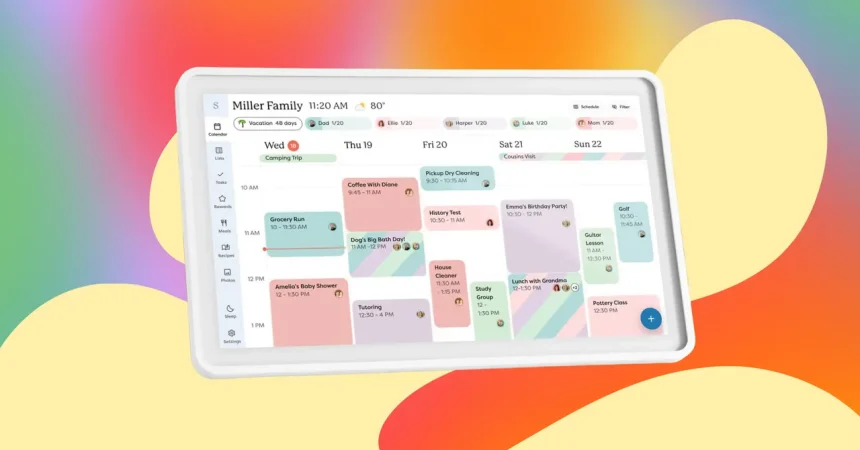
Managing a busy household often feels like a full-time job—between juggling school runs, chore charts, work appointments, and the ever-present question of “what’s for dinner?” it’s easy for important details to slip through the cracks. In my line of work, I spend my days testing a revolving door of gadgets, most of which my husband barely glances at. However, the Skylight digital calendar has been the rare exception that actually piqued his interest and genuinely improved our daily rhythm. It transforms the chaotic sprawl of multiple paper planners and scattered sticky notes into a single, cohesive hub that everyone in the family can reference at a glance.
The true beauty of the Skylight system lies in how it bridges the gap between digital convenience and physical presence. Positioned conveniently on our kitchen counter, it serves as the command center for our home. It isn’t just a static display of dates; it offers interactive tabs for shared to-do lists, organized chore charts, and weekly meal planning that keeps us from staring at the pantry in desperation at 6:00 p.m. It essentially acts as a communal brain, ensuring that no one is left guessing about whose turn it is to walk the dog or what time the kid’s soccer practice starts.
Beyond its utility as an organizer, the device serves a wonderful secondary purpose: it keeps our memories alive. When it’s not actively helping us manage our logistics, it transitions into a high-quality digital photo frame. Because Skylight has spent years perfecting display technology through their dedicated digital frame product line, the images look crisp, vibrant, and nostalgic. It adds a warm, personal touch to the kitchen, turning a functional screen into a rotating gallery of family highlights that brings a smile to our faces amidst a busy work or school day.
Of course, no piece of technology is without its caveats, and it’s important to note that accessing the full spectrum of Skylight’s features—including the ability to use that lovely photo-frame mode—requires a subscription. While some might be hesitant about adding another monthly fee to their digital wallet, I find that the value added to our family organization and the reduced stress regarding scheduling conflicts makes it a worthwhile investment. It turns a piece of wall hardware into an “always-on” service that constantly updates, ensuring that we are never disconnected from the plan.
For those looking to adopt this system, Prime Day has brought some significant price drops across their various models. I personally use the Skylight Calendar 2, which features a 15-inch screen that I have found to be the perfect “Goldilocks” size for a standard kitchen counter; it provides plenty of screen real estate without overwhelming the room’s décor. While the prices fluctuate depending on whether you are shopping on Amazon or directly through the Skylight website, catching it during a sale makes the barrier to entry much lower for families who want to reclaim their time and sanity.
If you have a more spacious home or a particularly large household with a complex calendar, you might also consider the Skylight Calendar Max. With its massive 27-inch screen, it is a significant statement piece that offers unparalleled visibility. While it was a bit too large for my own kitchen’s configuration, other reviewers have praised it for its ability to show an immense amount of detail at once. Whether you opt for the standard 15-inch model or the expansive 27-inch version, integrating a digital wall calendar is one of those rare tech upgrades that actually makes life feel simpler rather than more complicated.