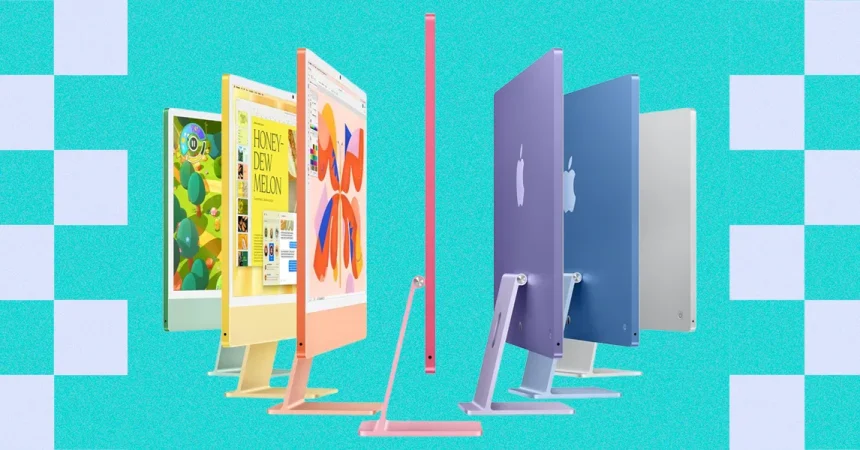
For the longest time, it felt like MacBooks had completely stolen the show. And honestly, who could blame them? Laptop performance has gotten so good, and battery life has improved so dramatically, that the old arguments for buying a desktop just don’t hit the way they used to. Why would anyone want to chain themselves to a desk when a laptop can do almost everything, anywhere? That’s the question a lot of people have been asking for years, and it’s why Apple’s desktop lineup seemed to fade into the background, a quiet afterthought for the faithful few who still liked the idea of a machine that never moves. But something is shifting. Mac desktops are having a quiet resurgence, and it’s not just nostalgia. Apple has finally refreshed the Mac Mini and Mac Studio with brand-new chips, and there’s a newfound focus on running local AI right on your desk. That’s a genuinely exciting development, but it also makes choosing between desktops a little confusing. Which one should you buy? And where does the iMac fit into all of this? I’ve been testing Macs for over a decade, and I’ve spent real time with all of these desktops, so I’ve got some thoughts that might help you figure out the right choice for your own life, your own budget, and your own workflow.
For most people, the answer is the Mac Mini. Apple’s lovable little box just got a major upgrade with the new M6 chip, and it’s a big deal on a couple of fronts. Before this refresh, these little computers were sold out for months, and you can thank AI for that. There’s something genuinely appealing about a small, quiet, always-on machine that can handle serious work without needing to be tucked into a laptop bag. But let’s be real about one thing right away: the Mac Mini isn’t the ultra-cheap mini PC it used to be. It costs $300 more than it did in the past, which stings a little if you remember when this was the budget Mac you could recommend to anyone without a second thought. That said, the base model now comes with higher specs and a clear focus on local AI, so you’re getting more for that extra money. If you just want the absolute cheapest little desktop computer for occasional use, you might need to look at a Windows machine instead. But if you’re open to spending a bit more for something that feels genuinely premium and capable, the Mac Mini remains a compelling offer across its configurations. You can choose between two new models: one with the M6 and one with the M5 Pro. For the vast majority of people, the M6 model is the one to buy, especially if you’re looking for a fast, reliable Mac desktop that won’t let you down.
The new M6 chip is especially impressive when it comes to GPU performance, which is an area where Apple continues to make serious strides. If you’re a fledgling video editor or a designer just starting out, the base configuration packs plenty of performance for creative applications. You can run Final Cut Pro, Photoshop, or other demanding software without feeling like you’re constantly waiting for the machine to catch up to your ideas. That kind of power used to be reserved for much more expensive machines, and it’s genuinely nice to see it trickle down to the Mac Mini. But here’s where things get a little frustrating: the base Mac Mini is only a couple hundred bucks cheaper than a similarly configured MacBook Air. That’s a tough pill to swallow when you think about how much more versatile a laptop is. You can carry a MacBook Air into a coffee shop, work from your couch, or take it to a client meeting. The Mac Mini just sits there on your desk, waiting for you to come to it. So why would anyone choose the desktop? For the first time, the Mac Mini’s form factor is actually a benefit over a laptop. It’s not about portability; it’s about the idea of a machine that’s always there, always on, and always ready to do work without you having to open a lid, plug in a charger, or worry about battery life. That’s a different kind of freedom, and it’s one that more people are starting to appreciate.
The AI angle is a big part of why the Mac Mini is suddenly so interesting. AI enthusiasts get excited about the prospect of an always-on, agentic AI box that sits on your desk and can then be controlled remotely from a MacBook or iPhone. Imagine having a little powerhouse that’s constantly running your AI models, processing data, and handling tasks while you’re away, and then being able to check in on it from your laptop or phone whenever you want. That’s exactly what the Mac Mini can do, and it’s a genuinely new reason to buy a desktop in the age of cloud computing. If you’re thinking about diving into this world, just be sure to upgrade the memory. Apple’s base configurations are fine for everyday use, but local AI workloads can eat up RAM quickly, and you’ll want a little headroom so your machine doesn’t choke when you start running larger models. The good news is that memory prices across the industry have been climbing, so you won’t find many comparable options on Windows or Linux, at least not with this much performance and RAM for the price. Apple has managed to make the Mac Mini feel like a smart investment rather than a compromise, and that’s no small feat in a world where desktop computers are supposed to be dying. It’s also worth noting that the Mac Mini is quiet, small, and energy-efficient, which makes it a great companion for a home office or a creative studio where space is at a premium.
If you need even more graphical muscle, the M5 Pro model is worth a look. I haven’t tested that one yet, but the main difference is in the enhanced graphics. While the M6 is already a big step forward, you can configure the M5 Pro with up to 20 GPU cores, which really come in handy for tasks like gaming, 3D modeling, and video rendering. These are the kinds of workloads that push a computer to its limits, and having those extra cores can mean the difference between a render that finishes in minutes and one that takes hours. The M5 Pro is also a better choice if you’re working with complex scenes in Blender, editing high-resolution footage in DaVinci Resolve, or doing any kind of heavy motion graphics work. But as the name suggests, I wouldn’t consider the pricier M5 Pro configuration unless you’re a professional who sits in front of Final Cut Pro or DaVinci Resolve all day. It’s easy to get swept up in the excitement of more cores and more power, but the truth is that most hobbyists and dabblers will never push the M6 anywhere near its limits. If you’re just making YouTube videos, editing family photos, or learning to animate, the M6 will likely do you just fine. Save your money for something else, or put it toward a better monitor, a nice keyboard, or maybe a good pair of speakers. The Mac Mini is already a fantastic machine, and you don’t need to overspend to get a great experience.
So where does that leave the rest of Apple’s desktop lineup? Well, the Mac Studio is still there for people who need even more power than the Mac Mini can offer. It’s a bigger investment, but it’s aimed at serious professionals who need maximum performance for demanding workflows like 8K video editing, complex 3D rendering, or machine learning research. If you’re at that level, you probably already know it, and the Mac Studio will be well worth the cost. As for the iMac, it’s still the best choice if you want an all-in-one desktop that looks beautiful on your desk and doesn’t require you to piece together a monitor, keyboard, and mouse. The iMac has always been about simplicity and elegance, and that hasn’t changed. But if you’re trying to decide between a Mac Mini and an iMac, think about whether you already have a monitor you like or want the freedom to choose your own display in the future. The Mac Mini gives you that flexibility, while the iMac locks you into its built-in screen. At the end of the day, the Mac Mini is the sweet spot for most people. It’s powerful enough for serious creative work, small enough to fit almost anywhere, and now it has a compelling new reason to exist in the age of local AI. Whether you’re a longtime Mac user or someone considering making the switch from Windows, the Mac Mini deserves a serious look. It’s not the cheapest desktop out there, but it’s one of the most capable, and it might just change the way you think about desktop computers all over again.