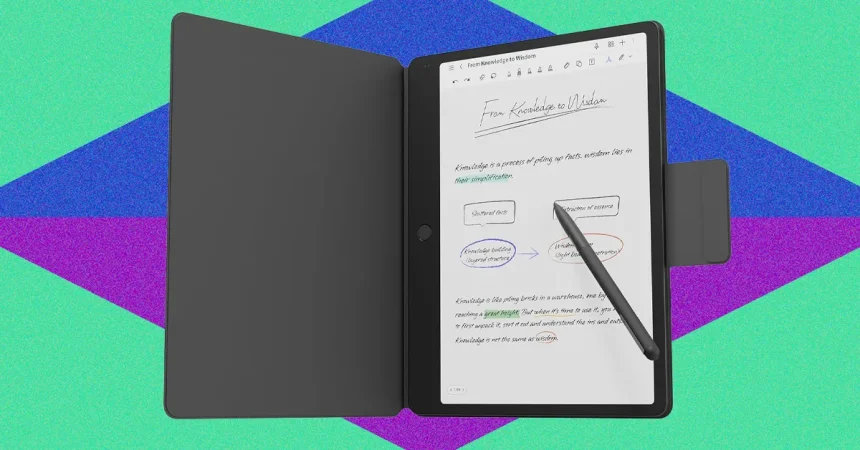
The TCL Note A1 presents an intriguing proposition for anyone looking to bridge the gap between a distraction-free digital notebook and a versatile Android tablet. At its core, the device excels in its primary function: note-taking. When you tap a note with the stylus, you are greeted by an edit mode that feels remarkably well-balanced. The configuration toolbar is tucked away at the top, offering just enough control—pen types, line weights, and colors—without feeling cluttered. It strikes that rare, “Goldilocks” balance where the interface is simple enough to stay out of your way when you are in a flow state, yet robust enough to handle the actual demands of note-taking. It feels less like wrestling with a piece of software and more like using an actual pen and paper, which is the highest compliment one can pay to a digital writing experience.
One of the standout features that truly sets the Note A1 apart is the “Inspiration Space.” For those of us who spent years relying on Evernote to hoard snippets of information, this tool feels like a welcome homecoming. Whether you are browsing a website or reading a document, you can quickly clip text and store it in a central hub. From there, the onboard AI kicks in, allowing you to convert your clippings into editable text or perform other automated tasks. It is an incredibly efficient workflow for researchers, students, or anyone who frequently finds themselves needing to synthesize information from various online sources. It turns the tablet into more than just a writing surface; it becomes a genuine tool for knowledge management.
However, the user experience isn’t entirely seamless, and the file management system is where the device’s polish begins to chip. There are moments of friction that feel like unnecessary hurdles, such as the inability to switch from “reading mode” to “edit mode” without completely backing out of the document. Having to close a file, return to the main menu, and then re-open it just to jot down a quick thought is a clunky, outdated approach that disrupts your focus. Furthermore, basic multitasking—like the common practice of dragging and dropping files to open them side-by-side—isn’t intuitive. While most Android users expect this to work naturally, the Note A1 requires a bit of detective work and a dive into the manual to master, which can be frustrating for a device that otherwise feels modern.
It is also worth noting the history of the device, particularly for those who might be reading older reviews. TCL took a slightly unconventional route by launching the Note A1 through a Kickstarter campaign, a decision that led to some early confusion. Early adopters faced significant headaches, including the lack of the Google Play Store and the technical gymnastics of sideloading apps via F-Droid or the Aurora Store. Thankfully, that is no longer the reality. The current retail version comes with the Google Play Store ready to go, effectively solving the biggest complaint of the early launch. While the sidebar menu for apps is a bit unconventional and requires some personal organization to keep things tidy, the device is now a fully functional, easy-to-use Android tablet.
When evaluating where the Note A1 fits in the broader landscape, you have to look at what you are willing to trade off. If you are a purist who wants the absolute closest experience to pen-on-paper, a dedicated E Ink tablet will likely always be superior; the screen contrast and battery life of those specialized devices are hard to beat. However, those devices are usually “one-trick ponies”—they are excellent for reading and writing, but they fail when you want to watch a video, scroll through social media, or use productivity apps. The Note A1 occupies a “best of both worlds” middle ground, providing about 80 percent of that authentic paper-like writing feel while remaining a legitimate, capable Android tablet.
Ultimately, the Note A1 is a compromise, but it is a very clever one. By choosing to incorporate the Google Play ecosystem, TCL has ensured that the tablet doesn’t become a paperweight once you are done writing. It caters to the user who wants a focused, quiet space to draft ideas and curate research, but who also wants the convenience of a web browser and media player right at their fingertips. If you can forgive the slightly clunky file management and the learning curve of its interface, you are left with a device that provides a uniquely productive experience—one that feels significantly more useful and versatile than a traditional e-reader, yet far more intentional and focused than a standard, distracting tablet.