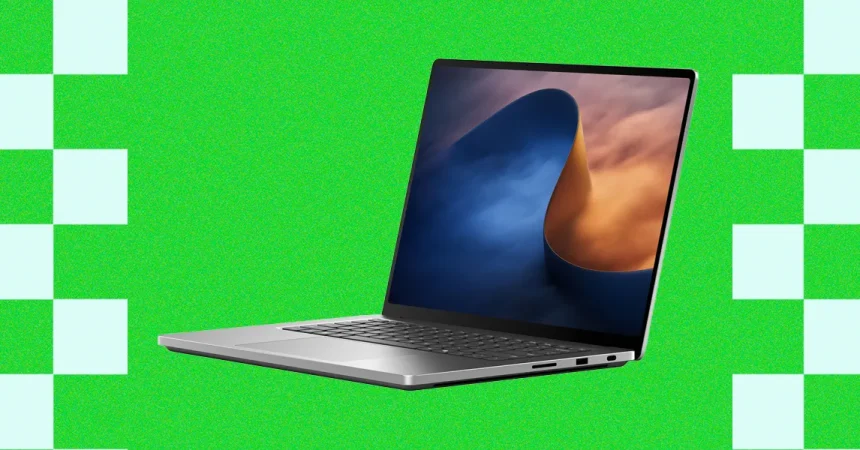
Laptop displays have become the battleground where premium machines are won and lost, and the screen on this latest Surface Laptop is nothing short of a statement. It’s the brightest laptop panel ever put into production, and it doesn’t just sound impressive on paper—it delivers in practice. With 1,344 individual dimming zones, the display is capable of an extraordinary level of control over light and shadow, which gives HDR content a kind of punch that you simply don’t expect from a portable computer. I hooked up my colorimeter to verify the hype, and the numbers were genuinely startling: 987 nits of sustained brightness in standard SDR content, and a blistering 1,945 nits in HDR when measuring a 9 percent window. That kind of brightness is usually reserved for professional reference monitors or high-end televisions, not something you can fold into a backpack. The result is that HDR movies and games look absolutely spectacular. Explosions flare with real intensity, sunlight feels blindingly realistic, and darkened scenes retain just enough detail to keep you fully immersed. The 120-Hz refresh rate only adds to the experience, making motion feel silky and responsive, especially in visually rich, single-player games where atmosphere matters more than competitive reaction times. Yes, it doesn’t deliver the perfect, infinite-contrast black levels of an OLED panel, but the local dimming does an admirable job of minimizing bloom and keeping shadows deep. Honestly, for anyone who loves gaming or watches a lot of high-quality video, this is the kind of display that makes you want to find excuses to keep the laptop open.
But there’s a catch, and it’s one that you’ll notice every single time you use the machine in anything but perfect lighting: the screen is highly reflective. This is something that has plagued the standard Surface Laptop as well, but here it feels more pronounced, especially when compared with something like a MacBook Pro, which uses an anti-reflective coating that does a much better job of cutting down glare. Even with the brightness cranked all the way to its record-breaking maximum, I kept catching my own reflection staring back at me whenever I looked at websites with dark backgrounds. Dark mode is all well and good, but the moment you open a mostly black page, the glass turns into a mirror. It’s a frustrating paradox: this is unquestionably the brightest screen ever put in a laptop, and yet reflections can still undermine that dazzling luminance in everyday use. I found myself tilting the screen at awkward angles, pulling the laptop away from windows, or just trying to ignore the ghostly overlay of my face and my desk in the glass. The fact that the panel gets bright enough to fight back against glare in many situations is a testament to how powerful the backlight is, but reflective glass is still reflective glass. If you work in a bright coffee shop, on a train, or anywhere near a window, the reflections will be a constant companion. That said, it’s really the only serious complaint I have about the display itself. The color accuracy, the smoothness, the HDR impact—all of that is genuinely wonderful. It’s just a shame that such a brilliant screen feels the need to show you your own face when you’re trying to enjoy it.
The same feeling of “almost there” applies to the webcam, though for very different reasons. The camera on this laptop is a 1080p unit, and on paper, that sounds perfectly fine—maybe even above average for a Windows laptop. But in practice, it struggles noticeably in low light. The image gets noisy, with a kind of grainy, digital static that makes your skin look uneven and your background look like a badly compressed YouTube video from 2010. The dynamic range isn’t great either; if you have a window behind you, the camera either blows out the bright areas or plunges your face into shadow. I compared it side by side with the MacBook Pro’s webcam, and the difference was obvious. Apple’s image processing does a much better job of brightening faces without overexposing the rest of the scene, and it cleans up noise without making everything look soft and smeary. On a laptop at this price point, where video calls have become a central part of how we work, study, and keep in touch with family, a mediocre webcam feels like a genuine oversight. It’s not unusable by any stretch—in good lighting, it produces a perfectly acceptable image—but it doesn’t match the quality of the display sitting right above it. That contrast is almost jarring. You can be watching a breathtaking HDR movie on that stunning panel, and then you flip over to a video call and suddenly you’re looking at a grainy, flat, slightly orange-tinted version of yourself. It’s the kind of inconsistency that makes you wonder why the manufacturers didn’t spend just a little more effort on the camera, especially since the rest of the machine is clearly engineered to compete with the best Apple has to offer.
Underneath all that glass and aluminum, though, the real story of this laptop is the arrival of the Nvidia N1X—a chip that feels genuinely revolutionary for Windows laptops. To understand why, you have to look back at the last couple of years in PC silicon. In 2024, Qualcomm broke open the floodgates with its Snapdragon X chips, and the Surface Laptop was one of the early adopters. Those chips were a big deal because they brought Apple-Silicon-style efficiency and battery life to Windows, finally giving the MacBook Air a credible rival on the Arm architecture. But Qualcomm’s offerings were always aimed at the mainstream, thin-and-light segment. They never scaled up to the kind of performance needed to go toe-to-toe with the M5 Pro or M5 Max MacBook Pros—the laptops that creative professionals, developers, and serious power users actually crave. That’s where the N1X comes in. It’s a first-of-its-kind chip in the Windows world because it takes the System on a Chip, or SoC, design to the high-performance tier. Instead of having a separate CPU, GPU, and memory modules scattered across a motherboard, the N1X packages them all together into one unified design, just like Apple’s silicon. This isn’t just an engineering curiosity; it has profound implications for how fast programs run and, in particular, how fast AI workloads can process data.
The key advantage of this SoC design is that both the CPU and the GPU can access the same local memory pool directly. In older laptops, the CPU and discrete GPU had separate memory, and data had to be copied back and forth over a relatively slow bus, which created bottlenecks. With unified memory, the GPU can tap into the same high-bandwidth memory as the CPU, and that makes a huge difference for AI processing, which involves feeding enormous amounts of data to the GPU as quickly as possible. The more memory you can give that GPU, the larger the models it can handle, and the faster they can run. Nvidia understands this better than almost anyone, which is why the N1X comes in two distinct configurations. There’s an 18-core version with 5,120 GPU cores, and a 20-core version with 6,144 GPU cores. If you want to think of them in Apple terms, they loosely correspond to the M5 Pro and M5 Max, with the bigger chip offering more graphics horsepower and more configuration flexibility. But the memory situation adds another layer of differentiation. The 18-core model is limited to just 24GB or 32GB of RAM, which is fine for mainstream users but feels a bit constrained for serious AI work. The 20-core model, on the other hand, can be configured with up to 128GB of unified memory, which is exactly what you need if you want to run large language models or other memory-hungry AI workloads locally, without having to rely on cloud servers. From what I’ve seen so far, the Surface Laptop Ultra is the only N1X laptop currently being sold with the entry-level 24GB configuration, which makes it an interesting but somewhat niche option for early adopters.
Memory, in many ways, tells the full story of what the N1X is really about. It’s not just a brute-force speed demon; it’s a chip designed for a new era of computing where AI is woven into everything. The unified memory architecture means that the moment you want to run a large language model, an image generator, or a local assistant, the GPU has direct access to a massive pool of data without any of the usual bottlenecks. This is the same reason Apple’s M-series chips have become so popular with AI developers—they can load massive models into memory and run them far more efficiently than a traditional CPU-plus-GPU setup. With the N1X, Windows laptops finally have an answer to that. The two-tier configuration strategy also makes a lot of sense as a market segmentation tool. The 18-core chip is probably aimed at power users who want excellent performance for things like video editing, 3D rendering, or high-end gaming, but don’t necessarily need to run gigantic AI models. The 20-core chip is the one that AI researchers, data scientists, and serious developers will want, especially if they’re planning to load the full 128GB of memory. That’s a genuinely massive amount of RAM for a laptop, and it puts the N1X in a class that Qualcomm simply hasn’t reached yet. It also creates a fascinating dynamic in the Windows laptop market, because it means there are now two competing architectures: the efficiency-focused Snapdragon X for mainstream machines, and the performance-focused N1X for premium workstations. For years, people have said that Windows laptops couldn’t match Apple’s high-end silicon, and the N1X is the first credible challenge to that belief.
Taken as a whole, this laptop is a study in contrasts. It has a display that is, quite simply, the best I’ve ever tested in a laptop—bright enough to make you squint, smooth enough to make games feel like a dream, and detailed enough to make HDR content look genuinely cinematic. Yet that same display is hampered by a reflective coating that can turn dark scenes into a mirror, and the webcam is noticeably weaker than the competition’s. It’s a machine that feels like a photographer’s dream and a video caller’s annoyance, often within the same hour. But the arrival of the Nvidia N1X changes the calculus in a deeper way. This isn’t just another iterative laptop chip; it’s a fundamental shift in what a Windows laptop can do. The SoC architecture, with its unified memory and massive GPU core counts, finally puts the Windows ecosystem on a level playing field with Apple’s high-end offerings, at least from a hardware perspective. For gamers and media lovers, the display alone is enough to make this one of the most exciting laptops of the year. For AI enthusiasts, developers, and anyone who needs serious local compute power, the N1X is the headline act, promising the kind of performance that was once reserved for dedicated workstations. It’s not a perfect laptop, but it feels like a turning point. The combination of a record-breaking display and a genuinely next-generation chip makes this the most interesting Windows laptop in a long time—one that hints at a future where premium Windows machines can stand shoulder to shoulder with the best Apple has to offer, even if they still have a few rough edges to polish along the way.