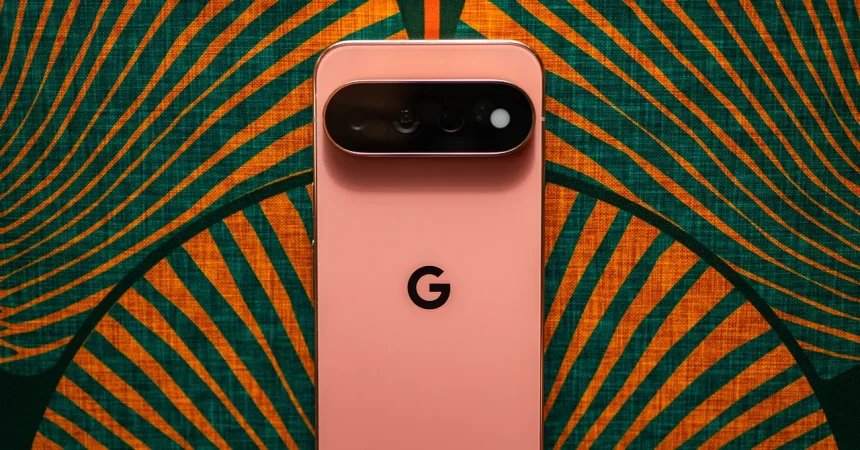
There’s a persistent, nagging question that has followed Google’s Pixel line for years, and with each passing generation, the whisper grows louder: why is the gaming performance perpetually a generation behind? Year after year, the hardware is undeniably beautiful, the camera is best-in-class, and the software is nothing short of delightful. Yet, when you crank up a graphically demanding title, the Tensor chip inside stutters, thermal throttles, and drops frames in ways that a Qualcomm Snapdragon-equipped rival simply doesn’t. This year, as Google has pushed the pricing of the Pixel 11 Pro and 11 Pro XL firmly into flagship territory—rubbing shoulders with the Galaxy Ultra and iPhone Pro Max—the irony becomes almost painful. You are paying top dollar for a premium experience, but the GPU headroom isn’t there. It feels like buying a sports car with a four-cylinder engine. We have to ask ourselves: will there ever be a day when Google stops treating gaming as an afterthought? When they stop relying on clever AI upscaling to mask frame drops and instead just give us the raw silicon grunt needed to play the latest titles at maximum settings? Until that day arrives, the Pixel remains a phenomenal daily driver for productivity and photography, but for hardcore mobile gamers, it’s still the phone you settle for, not the phone you crave.
While the GPU story remains a source of frustration, the software this year is undeniably the breakout star, and at the heart of it all is Gemini’s new “Proactive Assistance.” This isn’t just another voice assistant that waits for you to summon it; it lives inside your apps and anticipates your needs. I experienced this first-hand over the weekend when a friend texted me out of the blue, suggesting we grab some dim sum on Saturday. While I was reading the message, a small, unobtrusive bubble appeared directly within the Messages app, floating over the keyboard. It intelligently pulled out the relevant data—the restaurant, the time mention—and offered to create a calendar event right there on the spot. No copy-pasting, no switching apps, no opening a separate calendar tab. I tapped it, a calendar preview slid up, and with a single confirmation, the event was locked in. It felt like the phone had read my mind. The most charming part, though, was a tiny, humanizing glitch: the AI initially transcribed the restaurant as “Din Soup” instead of “Dim Sum.” It’s a small mistake, but it perfectly captures the current state of on-device AI—it’s powerful and genuinely helpful, yet still learning the nuances of language in a way that actually makes it feel less like a cold robot and more like a slightly distracted, very efficient friend.
However, the biggest hurdle for this brilliant feature is its confinement. This proactive magic currently works flawlessly inside Google Messages, but if, like a significant portion of the global population, your daily driver for communication is WhatsApp, Telegram, or Slack, you immediately lose access to this entire layer of intelligence. The bubble simply doesn’t appear. Google needs to recognize that the meat and potatoes of this feature shouldn’t be tied to a single default application; it needs to be a system-wide layer, baked directly into the Android API so that any messenger, any email client, or any note-taking app can leverage it. When that becomes a reality, the utility will be undeniable and transformative. Beyond the AI, Google has also made significant strides in giving the Pixel’s interface a distinct identity. The new design language is a breath of fresh air—there’s a cohesive geometry to the icons, a bolder weight to the system fonts, and playful, dynamic color palettes that shift based on your wallpaper. It doesn’t look like a copy of iOS or a stock Android clone; it feels like a uniquely Google take on modern mobile UI, one that is confident, expressive, and visually distinct.
Speaking of hardware, there’s a tactile feature that has completely won me over this generation: the built-in Qi2 magnetic array. Google has finally embraced the “MagSafe” standard, and it makes a world of difference in daily use. For years, the Android ecosystem has been a jigsaw puzzle of proprietary charging pads and ugly clip-on magnetic cases, but the Pixel 11 series has done away with all that by embedding the magnets directly into the chassis. This means all my existing MagSafe accessories, which I previously used exclusively with my iPhone, now snap perfectly and securely onto the Pixel. My magnetic car mount holds the phone rock-solid over rough pavement, and my portable magnetic tripod docks onto the back of the device in a split second, turning the camera system into a stable vlogging rig without a hassle. It’s a simple, practical innovation that speaks to a deeper understanding of how people actually use their devices in the real world. No case required, no adhesive rings to align awkwardly, just satisfying, secure connectivity. Coupled with the refined industrial design, the Pixel 11 Pro series feels like a piece of precision machinery, and this subtle magnetic addition is the kind of thoughtful detail that elevates it from a good phone to a great one.
The eternal trade-off, however, comes down to endurance. I tested both the Pixel 11 Pro and the larger Pixel 11 Pro XL, and while they are identical except for screen size and battery capacity, their stamina under pressure was alarmingly similar. In a demanding mixed-use scenario—streaming music over 5G, navigating with Google Maps for half an hour, constantly firing off photos, and background syncing—I consistently hit the 20% battery warning right at the four-hour screen-on-time mark on both devices. It’s a decent performance for an average day, sure; if you’re a casual user checking email, scrolling social media, and sending a few texts, you’ll easily get through the day with room to spare. But for a power user, the kind of person who lives on their phone for photography, gaming, and navigation, you will absolutely be hunting for an outlet by early evening. It’s a bit deflating to know that the giant XL variant only offers marginally better longevity due to the power draw of its larger, brighter display. It’s about time Google considered adopting denser silicon-carbon battery technology, which is all the rage in a few Chinese flagship phones right now. That tech could pack dramatically more juice into the same physical footprint, solving the endurance issue and giving these Pro models the all-day, all-night stamina they truly deserve.
Finally, we have to address the elephant in the camera app: that audacious 120X zoom. I remember standing in Brooklyn, looking across the East River at the iconic spire of the World Trade Center. At 1X, it was just a spec in the distance. I zoomed to 10X, then 30X, and the results were genuinely shockingly sharp—a testament to excellent optical and hybrid stabilization. I pushed it all the way to 120X, just to see what would happen, and the phone’s software stabilization struggled against the physical limits of hand-held shooting. The image froze, wobbled, and then settled into a hazy, painterly approximation of the building’s peak. It was here that I recognized the truth: anything past 30X or 50X relies heavily on AI-generated pixel filling to create detail that simply doesn’t exist. It’s a party trick, a gimmick to put on the spec sheet. But here’s the thing—I still appreciate its existence. Do you need 120X? Absolutely not. But does the fact that I can get a perfectly usable, crisp photograph of a distant skyline at 30X change the game? Yes. It’s within that 30X to 50X sweet spot where the computational photography merges beautifully with the optical lens, providing a telephoto reach that beats almost anything else on the market. It allows you to capture moments that are physically too far away, arming you with a tool that makes you look like a far better photographer than you actually are.