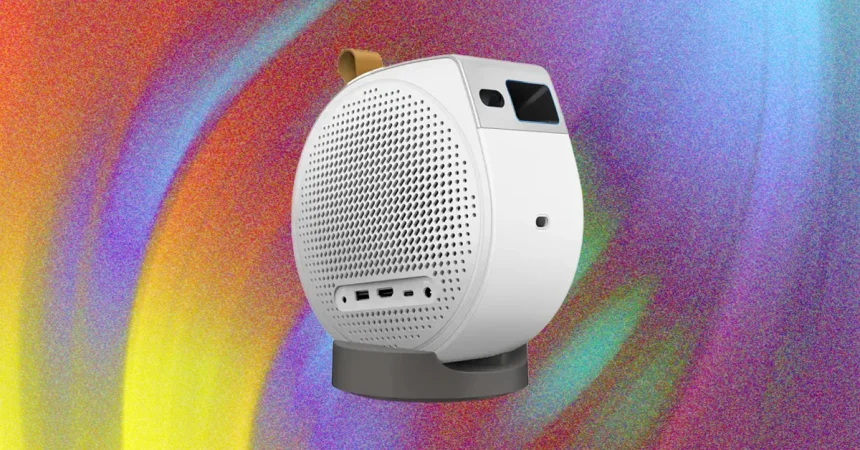
The BenQ GV50 is designed for those who value flexibility above all else, offering a unique mechanical base that makes it incredibly easy to find the perfect angle. Whether you want to project onto a standard wall or need to tilt the lens upward to cast a movie onto your ceiling while lying in bed, the projector’s physical design is a highlight. You can slide the unit along its base for vertical adjustments or fold out the integrated feet for horizontal tilts, ensuring it stays firmly in place once you’ve dialed in the right spot. It’s an intuitive, tactile experience that feels built for casual, everyday use rather than rigid, permanent setups.
Connectivity is where the GV50 shows its functional, if somewhat dated, nature. You’ll find a single HDMI port that supports ARC 5.1 audio pass-through, which is handy for hooking up a soundbar or a gaming console, alongside USB-A and USB-C ports for charging devices or playing media from a thumb drive. However, it’s worth noting that the device skips an Ethernet port and relies on Wi-Fi 5. While this is acceptable for basic streaming, power users with modern mesh networks—like Google Nest—might occasionally run into stability hurdles. It’s a reminder that while the hardware is versatile, it isn’t quite on the cutting edge of wireless networking.
Getting the GV50 up and running is, for the most part, a breeze. After a mandatory system update that demands a bit of patience, the setup process is remarkably smooth, utilizing the Google Home app to scan a QR code and automate app installation. The auto-keystoning feature is particularly impressive, quickly mapping the image to your screen or wall without requiring hours of manual fiddling. Even when shifting from a flat surface to the ceiling, the system handles the geometry adjustments effectively. The remote control follows BenQ’s standard, user-friendly layout, complete with dedicated shortcuts for Netflix, YouTube, and Prime that keep your favorite content just a click away.
For those who love the idea of a “take anywhere” experience, the internal battery is a welcome addition. It offers a few hours of unplugged viewing, making it a viable candidate for camping trips or outdoor movie nights where wall outlets are nowhere to be found. To squeeze out every bit of longevity, the device includes aggressive power-management settings that will automatically dim the display or shut the unit down after a period of inactivity. While most users will likely keep it plugged into the wall at home, having the option to go untethered adds a layer of convenience that makes the projector feel like a truly portable companion.
However, once the movie starts, the limitations of the GV50 become clear. This isn’t intended to be a high-end cinematic powerhouse, and that shows in its picture quality. In side-by-side benchmark tests, the projector struggles with contrast, often rendering dark scenes as a muddy, indistinguishable mess where foreground details like trees simply vanish into the black background. Colors often lack the punch and vibrancy you’d hope for; bright, natural elements like flowers and butterflies can end up looking a bit flat and lifeless. If you are a stickler for color accuracy and deep, rich contrast, the GV50’s performance in 1080p will likely leave you wanting more.
Finally, the experience is hampered slightly by the internal hardware, which feels a bit underpowered for modern streaming demands. With only 2 GB of RAM and a modest 1.5-GHz processor, the GV50 struggles to handle intensive tasks. If you try to mirror content from your phone or tablet using AirPlay or Google Cast, you’ll likely encounter choppy, jittery playback. Attempting to fast-forward or navigate through a stream can occasionally lead to the device hanging or crashing entirely. Ultimately, the GV50 is a fun, highly portable device that excels at convenience, but it is held back by aging internals and a performance ceiling that prevents it from being a serious home theater replacement.