The Color of Cinema: How Steve Yedlin’s Chromagraph App Brings Movie Magic to Your iPhone
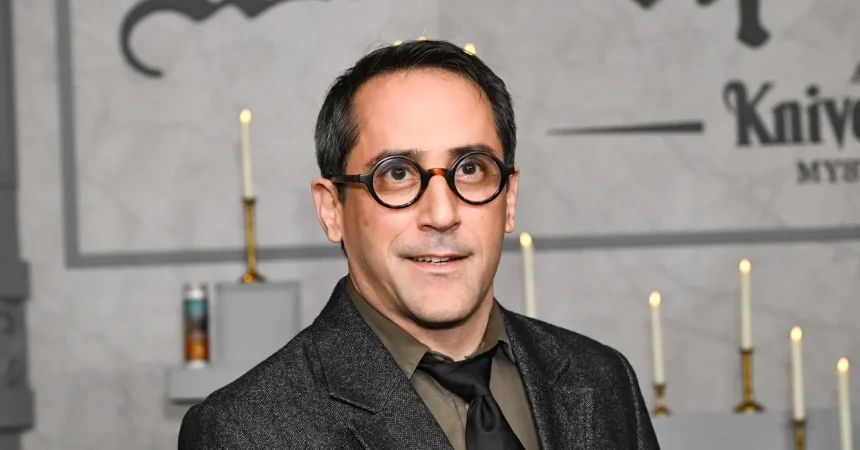
Steve Yedlin doesn’t talk about photography the way most people do. He doesn’t start with composition, or lighting, or the latest camera gear. Instead, when you sit down with him, he launches almost immediately into the mathematics of color science, a subject that clearly makes his eyes light up with genuine excitement. Yedlin is, by his own admission, a certified color nerd, and there’s something wonderfully refreshing about encountering someone so deeply passionate about a subject that most of us never even think about. We all take photos, we all scroll through them, we all post them to social media, but how many of us ever stop to consider the complicated scientific and mathematical processes happening behind the scenes? Yedlin has spent his entire career thinking about exactly those processes, and his enthusiasm for the subject is infectious. When I called him to talk about his new app, I was expecting to discuss the practical side of photography, but I quickly realized that for Yedlin, the practical and the theoretical are inseparable. His passion for color isn’t just professional curiosity; it’s woven into how he sees and understands the world.
Yedlin is perhaps best known as the longtime collaborator of director Rian Johnson, working as the cinematographer on films like Knives Out, Glass Onion, and Star Wars: The Last Jedi. It’s an impressive resume, but what many people don’t realize is that Yedlin doesn’t just shoot these movies. He writes his own image processing software, custom algorithms that shape how every single frame of these beloved films looks and feels. This is the “special sauce” that gives his movies their distinctive visual character, a carefully crafted look that audiences might not consciously notice but definitely feel. Now, he’s brought that expertise to the iPhone with a new app called Chromagraph Camera. The app, which he developed together with Johnson and programmer Eric Cameron, essentially brings a taste of Yedlin’s film production magic directly into the hands of everyday smartphone users. It’s a fascinating bridge between the high-end world of Hollywood filmmaking and the casual snapshot culture of modern life, and it represents something genuinely unique in the crowded field of camera apps.
Instead of relying on the iPhone’s built-in image processing, which is designed to be instantly appealing but somewhat uniform, Chromagraph Camera takes a completely different approach. The app shoots in RAW image data, capturing all the information the camera’s sensor can gather without any of the usual automatic adjustments. Then, it processes that data using a formula similar to what Yedlin uses in his actual film production work. This produces images that look noticeably different from standard iPhone photos, with a distinctive color and feel that reflects Yedlin and Johnson’s personal taste. And it seems that taste resonates with a lot of people. When Johnson promoted the app on social media in late October, it quickly shot to the top of the paid app charts in the iOS store, becoming the number one paid download. The app costs a one-time fee of thirteen dollars and currently only shoots still photos, with no video support yet, but that hasn’t dampened its popularity. People are hungry for something different, something that stands out from the endless stream of uniform smartphone photography that floods our social media feeds every day.
Now, I should confess that I’m not exactly what you’d call a photography nerd. On my team at work, I’m the person who usually just whips out their iPhone and snaps a picture with the default settings, barely thinking about what I’m doing. I don’t obsess over megapixels or lens specifications or aperture sizes. I just point and shoot. But even with that casual approach, I genuinely loved using Chromagraph Camera while capturing some of San Francisco’s fall vibes. There’s something magical about the images it produces, a quality that’s hard to put into words until you see it yourself. Apple gives iPhone owners plenty of built-in tools for adjusting color and tone, but I loved that this app could produce highly stylized, distinctive shots without me having to fiddle with anything at all. The app does all the work for you, applying its signature look automatically. And there’s an unexpected element of surprise built into the experience. When you open the app, what you see in the viewfinder before you snap the photo is not what the app will eventually produce. The image is essentially developed after you capture it, processing in the background like a Polaroid developing in front of your eyes.
This processing takes just a moment, but it’s a crucial part of what makes the app special. The photo needs that time to run its unique algorithm, applying specific tone, color, and grain effects that give the final image its distinctive character. After the image is processed, you can still alter it further, tweaking the overall exposure or texture if you want to customize the look to your preferences. But Yedlin is quick to point out that this isn’t meant to be a full-featured editing app or a complete replacement for your regular camera. It’s not designed for professional photo manipulation or exhaustive creative control. Instead, it’s a much simpler concept. Yedlin describes it as “this curated app that takes the pictures the way we like.” That’s it. The entire app is an expression of personal taste, built by a team of filmmakers who have spent decades thinking deeply about how images should look. It’s confidence in your own aesthetic sensibilities, packaged into a simple interface that anyone can use. It’s also refreshingly modest in its ambitions, a counterpoint to the trend of camera apps that promise endless settings and professional-grade control.
Even with all this custom processing, Yedlin maintains a deeply pragmatic view of the iPhone’s capabilities. He’s quick to acknowledge that no amount of software can overcome the fundamental limitations of smartphone hardware. “This idea that you can actually have the control that a professional camera would have is not really true anyhow,” he says. This perspective is refreshing in an era when tech companies constantly tout their latest computational photography innovations as revolutionary breakthroughs. Yedlin’s approach isn’t about trying to pretend your iPhone is something it’s not. Instead, it’s about embracing what the device can actually do well and adding a layer of personal artistic vision on top of it. In a broader context, as advances in computational photography and generative AI have sparked renewed debates about what a smartphone photo even means anymore, Yedlin’s approach stands out in its clarity. He doesn’t chase some phantom of neutrality or objective reality. He understands that every image is an interpretation, a stylized depiction shaped by both technical limitations and artistic choices. Whether that’s an artful, opinionated rendering or a simple snapshot, every photo is a translation, not a reproduction. “You can describe how the different rendering looks in words, but you just have to look at it,” he says. And he’s right. The color speaks for itself.