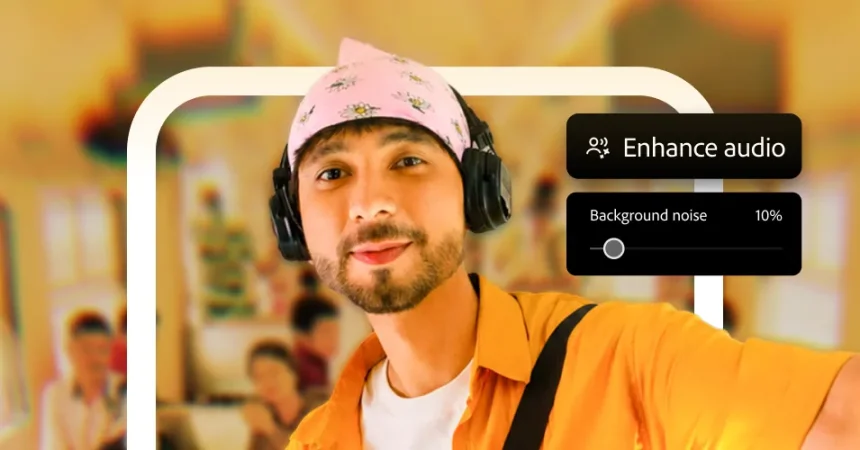
After months of quiet beta testing and weeks of speculation, Adobe has finally brought its redesigned mobile video editor to Android. The app, simply called Premiere, made its debut on iPhone nearly a year ago, and now it is ready for Android users who have been waiting for a genuinely professional editing tool that fits in their pocket. This is not just a new version of an old app; it marks the official end of the line for Premiere Rush, Adobe’s previous mobile editing workhorse, which will be retired on September 30. For anyone who has tried to edit video on Android with anything other than a stripped-down social media app, this feels like a genuine turning point. The new Premiere app is designed to be powerful enough for real editing work, but approachable enough for someone who just wants to trim a clip and post it before the moment passes. It is arriving with a redesigned interface that prioritizes touch controls, visual timelines, and quick exports, all while maintaining the creative depth that Adobe is known for. The company has positioned this not as a scaled-down toy, but as a legitimate bridge between capturing footage on your phone and producing something you might actually want to share with the world. And after a year of positive feedback from iPhone users, the pressure is on for the Android version to deliver the same experience. Based on what Adobe has been showing off during the beta period, it appears ready to meet that challenge, and the official rollout means that Android users can finally see for themselves what all the fuss is about.
The reception to the iPhone version has been nothing short of encouraging. Adobe’s senior vice president of design, Eric Snowden, told WIRED that feedback for the iOS app has been “incredibly positive,” and the numbers back him up. The app currently holds a 4.8-star rating on the App Store, built on more than 25,000 user ratings. That kind of reception is rare for a mobile editor, especially one from a company known for complex desktop software. But the real challenge was never just making a good iPhone app; it was proving that Adobe could make an Android app that feels truly native to Google’s platform. Snowden was careful to emphasize that the goal was not to simply port the iPhone experience over to Android. A port might work, but it would feel like a visitor in a foreign country, using old habits and unfamiliar gestures. Instead, the team focused on building something that feels at home on Android, from the way the app responds to navigation gestures to the way it handles files and folders. That means paying attention to the wide variety of Android hardware and the different ways people interact with their devices. It also means accepting that Android users are not a monolith; they are using everything from budget phones to folding tablets to candy bar style Pixel devices. Adobe wanted to make sure that no matter what device you happen to own, the app feels like it belongs there, not like it is simply surviving there. That attention to detail is what separates a thoughtful mobile tool from one that merely exists on a platform because it has to.
The most visible sign of this Android-first thinking is how Premiere handles foldable phones. If you happen to open the app on a folding device, the experience transforms to take advantage of the extra real estate. Your footage appears on one side of the screen, while the multi-track timeline sits on the other, turning the foldable into something resembling a tiny editing suite. It is a clever use of the format, and it shows that Adobe has spent real time thinking about how people actually use these new devices. Snowden even suggested that the work done on Android foldables could eventually help with future iPhone development, perhaps hinting at a time when Apple might release a foldable device of its own. Whether that device ends up being called an iPhone Duo or something else entirely, the groundwork is being laid. The same thoughtfulness applies to Google’s new Googlebook laptop platform. Adobe has said its apps, including Acrobat, Photoshop, Lightroom, and Premiere, are optimized for the new laptops. That means they take advantage of the larger screen and more flexible interface, offering a better experience than you would get from a basic smartphone app stretched to fit a bigger display. However, Adobe is being honest about the limits here. These are not desktop-grade apps, and they will not replace the full power of Windows or macOS versions. But for people who want to do light editing on the go without carrying a heavy laptop, having Premiere optimized for a device like that is a significant step forward.
Performance and accessibility have clearly been major priorities for the Android release. Adobe understands that video editing is a demanding task, but the company also knows that not everyone is walking around with a flagship phone that costs over a thousand dollars. To make sure Premiere runs on as many devices as possible, the team spent a significant amount of time optimizing the app for lower-power hardware. That does not mean there are no limitations, of course. The app requires at least 5 GB of RAM, and your phone will need to be running Android 13 or later. Those requirements are not exactly modest, but they are far more reasonable than you might expect from a professional video editor. Snowden made it clear that the goal was never to build an app that only works on premium devices. He stressed that the team wanted Premiere to run on a really broad range of Android devices, and that they put serious effort into making sure this is not just for flagship phones. This is an important point, because Android is a fragmented ecosystem. A video editing app that only works on the latest Samsung or Pixel would ignore the millions of people using perfectly capable midrange phones. By setting the bar at 5 GB of RAM and Android 13, Adobe is drawing a line that includes a huge segment of the Android market while still ensuring that the app can perform well enough to be genuinely useful. It is a delicate balance, and it is clear that the team spent a great deal of time trying to get it right.
Once you actually launch the app, the experience is designed to get you from idea to finished video as quickly as possible. The home screen shows all the footage from your camera roll, giving you an immediate visual starting point. From there, you can dive into a collection of creator-made templates that cover a wide range of styles, from lifestyle content to beauty tutorials to food-focused videos that are perfect for a quick recipe or restaurant post. If none of the templates appeal to you, you can always start from scratch and build your own project from the ground up. Adding footage is straightforward, and once it is in your project, you can choose between two different editing modes. The first is the mini editor, which is designed for quick, painless edits. With the mini editor, you can trim clips, replace footage, and apply a filter that gives all of your shots a consistent color style with a single tap. This is perfect for someone who wants to make something that looks polished without spending hours tweaking settings. The mini editor even allows you to export your video directly to YouTube Shorts without ever leaving the Premiere app, which is a huge convenience for creators who regularly post short-form content. It removes the friction of saving, exporting, and then uploading from a separate app, allowing you to stay in your creative flow and share your work with the world in just a few taps.
For those who want more control, the full editor opens up a multitrack timeline that brings the experience much closer to a desktop editing program. Here you can layer text, music, sound effects, and visual effects, giving you the freedom to create more complex projects that go beyond a simple cut and trim. The full editor is where the app truly shows its range, because it can handle the demands of someone who wants to build a more elaborate video without forcing them to move to a computer. You can arrange clips on multiple tracks, adjust audio levels, add transitions, and fine-tune the timing of every element in your project. It is not quite the same as running Adobe Premiere Pro on a desktop, but it is remarkably close for something that lives on a phone. The arrival of this app on Android is a clear signal that Adobe sees mobile devices as legitimate creative tools, not just companions to a desktop workflow. With Premiere Rush being retired and this new app taking its place, Adobe is betting that the future of video editing is mobile-first, and that creators want an experience that is powerful, flexible, and responsive to the device they are holding. If the Android version lives up to the promise of its iPhone counterpart, and everything Adobe has said suggests it will, then a whole new generation of creators will have the tools they need to make something meaningful, right from the palm of their hand.