At Apple’s recent hardware event, the literal star of the show might have been the foldable iPhone Duo, with its glowing translucent Liquid Glass body and its icon grid arranged vertically like a delicate column of widgets. It was a striking visual, the kind of thing that makes people say the future has arrived. But if you take a step back, the most important thing at the event wasn’t the fold itself; it was the software running underneath. That software, iOS 27, is not locked to the Duo. When it leaves beta on Monday, it will arrive on millions of ordinary iPhones, and it will bring with it a sense of intelligence that changes how you search, browse, and automate your daily life. The most obvious adjustments will be the new standalone Siri app and the way Siri AI now reaches into your phone’s entire search experience. But those headline changes are just the beginning. Apple also planted subtle upgrades inside Safari and breathing room into Shortcuts, two apps that people tend to use without ever exploring their potential. And perhaps that’s the real message hidden in the Duo’s showcase: the future is not in a hinge or a glass finish. It’s in the software that learns what you care about and quietly helps you act on it. If you missed the event or shrugged at yet another hardware announcement, the good news is that your current iPhone is about to feel considerably smarter, no foldable required. The excitement around a new device is understandable, but the lasting value of iOS 27 is that it arrives on devices already sitting in your pocket, ready to reshape your routine in small but meaningful ways.
The first noticeable change after Monday will be Siri’s new identity. For years, Siri has lived behind a button, a voice prompt, or a tiny waveform at the bottom of your screen, waiting to be summoned. iOS 27 gives Siri a proper home as a standalone app, and more importantly, it brings Siri AI into the very fabric of how you search on your phone. Instead of jumping between apps to find a photo, an email, a file, or a piece of information from the web, you can turn to one place and, in natural language, ask for what you need. The search integration is the kind of update that doesn’t sound revolutionary until you use it. You can type something like “show me the photos from last weekend’s barbecue” or “what did my mom say about the dentist appointment?” and Siri will pull from your messages, your calendar, your recent Safari history, and even your app activity to assemble a useful answer. It feels less like using a search engine and more like having a patient assistant who remembers where everything lives. That’s the promise of Apple Intelligence, and while it requires an iPhone 15 Pro or newer, those who can run it will notice that Siri is no longer just a timer-setting novelty. It becomes a bridge between the chaos of your digital life and the one thing you’re actually trying to do. Whether you prefer typing or speaking, the new search experience is more forgiving, more context-aware, and far less reliant on exact keywords. You don’t need to remember the precise app name, the file title, or the date; you just need to describe the moment you’re trying to find, and iOS 27 will do the digging.
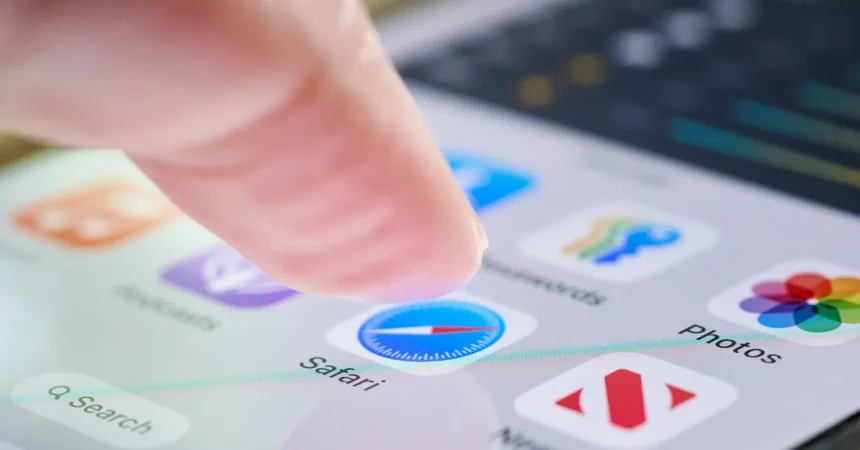
Once you’ve explored the new Siri, the next place to spend your time is Safari. At a glance, Safari in iOS 27 looks almost identical to the version you already know, with the same clean tabs, the same address bar, and the same minimal design. But buried in the three-lined hamburger menu in the top-right corner is a feature called “Notify Me,” and it might just save you from hours of refreshing. It works like this: you visit a webpage that matters to you, tap the menu, and select “Notify Me.” A text box opens where you can describe the specific change you want Safari to watch for, as well as how often you want it to check. For example, you might be shopping for a new couch because your old one finally gave out. You have two final contenders from CB2, but they’re both over your budget. Instead of opening those product pages every morning and checking whether the price has dropped, you can set Safari to scan them daily and alert you the moment either one sees a meaningful discount. That’s the kind of convenience that turns a browser from a simple window into a proactive helper. But “Notify Me” isn’t just for shopping. You can use it to watch for ticket releases, the appearance of a new article, an update to a privacy policy, or any change to a page that you need to stay on top of. Unlike a generic “page changed” alert, Apple Intelligence reads the content and looks for the exact thing you described. This level of attention feels personal, as if Safari knows exactly what you’re waiting for and will quietly keep an eye on it while you go about your day.
Just below “Notify Me” in that same Safari menu is another quiet addition called “Describe an Extension.” If you’ve ever dabbled with the Shortcuts app on iPhone, the idea will feel familiar. Shortcuts has been teaching people how to automate their devices for years, but it always had a learning curve, and many users never made it past the preset actions. iOS 27 is changing that by letting you describe what you want in plain language. The Safari extension version does something similar for the browser. Instead of scrolling through a list of listed extensions and trying to understand their permissions and settings, you can simply type a description of the task you have in mind. Maybe you want an extension that removes clutter from article pages, turns recipes into shopping lists, or highlights any mention of events in your area. Safari combines that description with Apple Intelligence to suggest or build an extension that matches your request. It’s the kind of feature that makes customization finally feel accessible to everyone, not just power users. You don’t need to know how extensions work under the hood, and you don’t need to read a tutorial. You just need to know what outcome you want. The same philosophy is reshaping Shortcuts, which has long been seen as an underutilized app that normal people open once and abandon out of confusion. By allowing users to describe a shortcut in ordinary language, iOS 27 invites even the least technical people to start automating their routines. Whether it’s turning off your lights when you leave, extracting phone numbers from a screenshot, or sending a quick message when you arrive at work, the barrier to entry is no longer about learning; it’s simply about saying what you want.
Of course, not every Android phone, and not every iPhone, can take advantage of these features. The Safari upgrades, the new Siri search, and the natural-language capabilities in Shortcuts depend on Apple Intelligence, which means they need an iPhone 15 Pro or newer. They’re also available on iPadOS 27 and macOS 27 for users on compatible devices, so the intelligence is spreading across Apple’s ecosystem rather than staying locked to a single foldable gadget. That’s an important point, because it shifts the narrative away from exclusive hardware and toward the software that makes everyday devices more helpful. At the hardware event, Apple made a show of the liquid glass aesthetic and the vertical icon layout of the Duo, but those are just visual flourishes. The real depth of iOS 27 is in the way the operating system begins to understand your intentions. It’s in Safari reading a product page for a price drop you described. It’s in Siri finding a forgotten email because you remembered a vague phrase. It’s in Shortcuts responding to a sentence like “make a routine that sends my location to my partner when I leave work.” These are not flashy features, but they are the ones that reduce the small mental loads of daily life. For years, the story of phone updates has been about faster processors and better cameras. With iOS 27, the story is about attention to context. The phone is no longer just waiting for your commands; it’s starting to listen for what matters to you, and it’s using the web, your files, and your apps to help you get things done with less friction.
When iOS 27 arrives on Monday, it’s worth taking a few moments beyond the comfortable swipe through the new home screen. Go into Safari, tap that menu, and think about one thing you’ve been checking day after day. Is it a sale, a piece of news, a ticket release, a change to some policy you’re worried about? Set up a “Notify Me” and let the browser take over that small burden. Then look at Shortcuts, or open the new Siri app, and try describing a task in the same way you would ask a friend to help. You don’t need to be a power user to appreciate the shift. The entire theme of iOS 27 seems to be that software should bend around your life, not the other way around. It doesn’t matter if you never buy the foldable iPhone Duo or never touch the liquid glass. What matters is that your phone begins to feel less like a machine and more like a partner. You describe what you want in words that make sense to you, and the device takes it from there. That’s the human side of this update, and it’s the part that will keep reminding you, weeks from now, that Monday was not just another software release. It was the day your iPhone started listening a little more closely, anticipating a little more carefully, and quietly taking care of the small things that used to clutter your mind.