

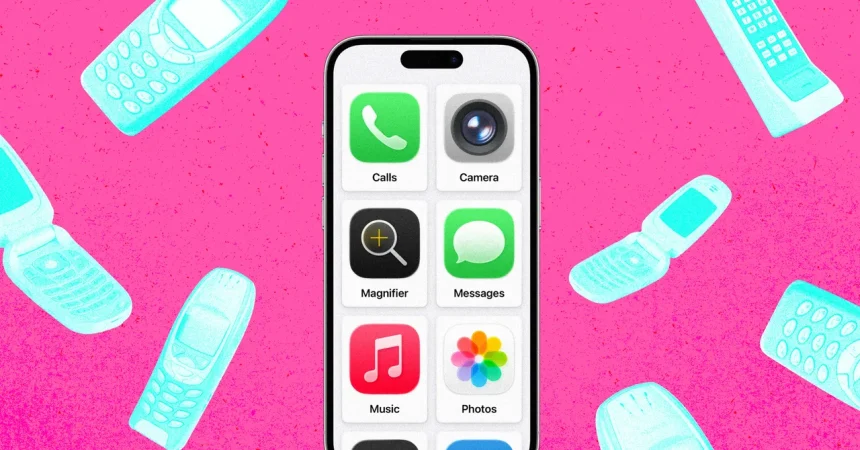
At its core, Apple’s “Assistive Access,” introduced with the arrival of iOS 17, represents a thoughtful shift in how we think about technology. Originally engineered for individuals living with cognitive disabilities, this feature strips away the overwhelming complexity of the modern smartphone, replacing a dense grid of confusing icons with a simplified, intuitive interface. It is a digital sanctuary, designed to foster confidence and autonomy rather than frustration. By replacing the standard, small app icons with large, high-contrast, friendly tiles, Apple has created an experience that feels less like a corporate tool and more like a helpful companion. It is a rare instance where high-end technology leans into minimalism, proving that sometimes, the most sophisticated design is the one that knows when to get out of the way.
To ignite this experience, the process is pleasantly straightforward. The journey begins in your device’s “Settings” menu, tucked away under the “Accessibility” tab. By scrolling to the bottom of the General section, you will find the portal to Assistive Access. After a few brief prompts, you are invited to choose your visual layout: rows or a grid. While both serve their purpose, the grid layout is particularly transformative, turning the screen into a collection of bold, easy-to-tap focal points. From there, you curate the experience by selecting only the apps that matter, using the green plus icon to add them to the workspace. This intentional curation allows you to repurpose an old, dust-gathering iPhone into a highly focused, distraction-free environment that serves a specific purpose rather than acting as an endless vacuum for attention.
One of the most profound benefits of Assistive Access is how it addresses the persistent modern struggle of web safety and digital overstimulation. Unlike traditional parental controls, which can often feel like a digital game of “whack-a-mole” as children or users find clever ways to bypass them, Assistive Access fundamentally reshapes the device’s capabilities. By choosing not to add Safari, Chrome, or other browsers to the active list, you aren’t just blocking the web; you are effectively turning a powerful, connected computer into a “dumb phone” that serves only the essential needs—such as calls or navigation—that you deem necessary. It removes the temptation of aimless surfing, providing peace of mind for parents and caregivers who want to ensure the digital realm remains a safe, contained space.
The brilliance of this mode lies in its structural integrity. Even if an outside contact sends a link via a text message to a user occupying Assistive Access, the device remains unmoved. Because the system is built to prevent accidental navigation, any web link sent through a message is automatically converted into dead, plain text. There is no blue hyperlink to click, no pop-up window to trigger, and no rabbit hole to fall down. This renders the act of “accidental web browsing” nearly impossible. It treats the entire phone as a closed loop, ensuring that the user remains within the designated, safe boundaries you have established, rather than losing themselves in the chaotic and often uncensored sprawl of the open internet.
This design philosophy places the power of “trusted support” directly into the hands of the caregiver. Apple has ensured that nothing is left to chance; if you want a particular app to have internet functionality, you must manually grant that permission. Once you add essential tools like Messages or Calls, the control continues into the granular details of communication. You can decide exactly who is allowed to reach the user—whether limiting contacts to a specific list of “favorites” or restricting communication to known contacts only. This gatekeeper functionality transforms the phone into a tool of connection rather than a gateway to global noise, ensuring that every interaction is intentional and controlled.
Ultimately, Assistive Access is an invitation to redefine our relationship with the devices we carry everywhere. By stripping away the bells and whistles, Apple has created a space where usability is prioritized over features, and safety is prioritized over access. Whether it’s for a child learning to navigate the digital world, an elderly relative who finds standard interfaces confusing, or anyone who simply feels overwhelmed by the constant pinging of the modern world, this feature is a masterclass in human-centered engineering. It turns a complex, often isolating piece of technology into a warm, manageable, and secure tool that serves the user, rather than forcing the user to serve the device.