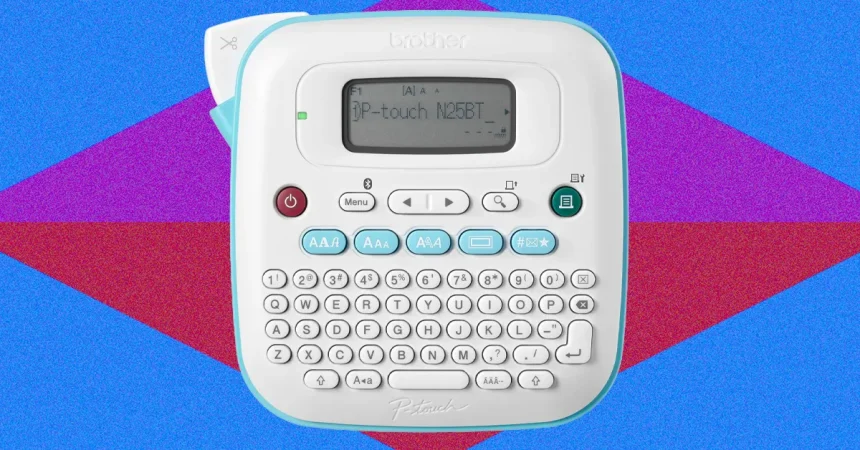
There’s a quiet, deeply satisfying magic in a perfectly organized space. It’s the feeling when you open a pantry and every jar greets you by name, or when you pull a box from the attic and you instantly know what’s inside without tearing the tape. But for years, my attempts at organization were a compromise. I’d resort to a permanent marker, and my handwriting always seemed to betray me, turning “Basil” into a cryptic doctor’s scrawl. Or I’d buy a cheap, entry-level label maker—the kind with the tiny, cramped keyboard and the stubborn, clunky dial you have to scroll through one letter at a time. The result was grainy, cheap-looking stickers that peeled off within a week, leaving sticky residue and shattered dreams. That was the old way. The Brother P-touch Cube Plus represents the absolute opposite of that frustrating reality. It’s the grown-up solution that promises a polished, professional finish indistinguishable from the labels you’d see on premium retail products. It whispers of curated Instagram shelves and meticulously organized craft rooms. It is the quiet upgrade that transforms the chore of labeling from a task you dread into a creative project you actually look forward to, forever changing the way you approach order. It is, quite simply, the organizational tool for anyone who cares about the aesthetics of their life.
When the Cube Plus first arrives, it’s deceptively unassuming. It’s a small, sleek, rounded cube that weighs next to nothing, and it plugs into the wall via a simple USB cable. There’s no bulky power adapter taking up an entire outlet. But the most disorienting moment comes when you flip it over and look for the keyboard. There isn’t one. It’s just a clean, minimalist device with a single, satisfying cutting button on top. Your first instinct is panic—how in the world do you type? But the answer is a welcome modern twist: you connect it to your smartphone or tablet via Bluetooth. It feels revolutionary compared to the tactile, clunky keyboards of the past. The entire genius of the hardware is its radical simplicity. You pop open the back, snap in a tape cartridge (it clicks into place with a reassuring finality), and you’re ready to go. The machine itself is practically silent until it’s working. There’s no fiddly, frustrating interface to learn, no nested menus to navigate on a tiny screen. All of the brains and power live in the software, leaving the hardware to do what it does best: print perfectly and cut smoothly. It feels premium, sits beautifully on a desk without looking like office equipment from the late nineties, and the lack of a keyboard is soon revealed not as a limitation, but as an act of pure genius—a simplification that makes the entire experience infinitely more modern and enjoyable.
Once connected, you discover the true heart of the Cube Plus: its vast and wonderful app ecosystem. Brother provides three distinct ways to bring your labels to life, and each one offers a wealth of creative power. The primary app, Design & Print 2, is a revelation. It’s incredibly seamless and intuitive, connecting to the Cube Plus in a flash. The library of fonts, borders, and graphics is massive—hundreds of tiny icons, clever banners, and stylish typefaces that let you customize everything from a simple “Basil” jar to a decorative label for a homemade candle. You can even generate QR codes and barcodes with a tap, which is fantastic for small business owners or for those of us who want to keep track of shelved items in a detached garage. Despite the sheer volume of options, the interface never feels cluttered or overwhelming; it feels curated. The templates are modern and clean, avoiding the cheesy clip-art look that plagued older label software. If you want a slightly different design perspective, the iPrint & Label app offers its own unique set of tools, giving you variety if you ever get stuck in a design rut. And for those who prefer to work on a large screen, the P-touch Editor software for your desktop is a robust, powerhouse suite. It allows you to import spreadsheets via CSV, meaning you can automatically print an entire alphabetized filing system or a full label set for a massive inventory in one go. The human factor here is that designing is genuinely fun. I found myself creating labels for things that didn’t even need them, purely for the pleasure of experimenting with different fonts and border widths. It aligns perfectly with how we design everything else in our digital lives: on a screen, with drag-and-drop ease, seeing a live preview before you waste a millimeter of tape.
The versatility of the Cube Plus is where it truly elevates itself from a toy to a serious organizational tool. It accepts tape cartridges in a wide range of widths, from the incredibly thin 6mm up to a massive, statement-making 24mm. This variety is the difference between organizing a tiny spice shelf and completely overhauling a garage or an office. The 6mm tape is absolutely perfect for the small stuff—labeling individual rechargeable batteries, tiny craft containers, or the dozens of loose screws and nuts that always end up lost in a tool drawer. The 12mm size is the sweet spot for binders, file folders, and everyday food storage containers. But when you jump up to 18mm and 24mm, the machine earns its keep in spades. You can print big, bold, color-blocked labels that are perfect for the front of massive storage bins, the tops of archive boxes, or the drawers of a heavy-duty tool chest. It transforms a chaotic shelf into a visual masterpiece, where even from across the room you can instantly identify what’s inside. The auto-cutter, though, is the luxury feature I never knew I couldn’t live without. On cheaper machines, you have to manually tug and tear at a perforated edge, which inevitably leaves a jagged, unsightly, and frustrating cut. The Cube Plus snips the tape instantly with a sharp, perfectly straight edge, and it even leaves a little bit of transparent backing at the end of each label to prevent it from peeling off inadvertently. The Bluetooth connection is lightning fast—from the moment you hit “Print” to the satisfying whirr of the cutter is barely two seconds. It’s an experience of pure, tactile satisfaction. The speed doesn’t feel like a wait; it feels like a magic trick happening right before your eyes.
Let’s address the elephant in the room immediately: this premium experience comes at a premium cost. At nearly three times the price of a basic Brother model (like the PT-n25bt), it’s a significant investment, and the expenses don’t end with the initial purchase. The tape cartridges are the ongoing financial commitment. They start around fifteen dollars for a basic black-on-clear cartridge, and the cost climbs to twenty-four dollars or more for the more exotic specialty options, like glitter or metallic finishes. It initially feels steep—almost like buying a printer and then realizing the ink will continuously drain your wallet. But, as with most things in life, you get exactly what you pay for. These tapes are not flimsy, paper stickers. They are laminated with seven distinct layers of protective film, making them nearly indestructible. I put them through brutal real-world tests. I labeled a glass Tupperware container and threw it directly into the dishwasher, expecting the ink to bleed or the paper to wrinkle. It emerged perfectly crisp, clear, and perfectly adhered. I placed a label on a metal baking pan and wiped it down with wet, soapy sponges. Nothing happened. It didn’t fade, smudge, or peel. This durability is where the emotional, human aspects truly shine through. I purchased a glitter tape cartridge—the twenty-four-dollar one—with a heavy sigh, but seen in the eyes of my four-year-old son, it was absolutely priceless. When I printed his name in shimmering, tiny glitter letters and attached it to his lunchbox, he stared at it as if I had handed him a golden trophy. He touched it gently, in absolute awe. That single label transformed a cold, plastic box into his piece of identity. This machine doesn’t just make functional labels; it makes small, meaningful pieces of art that feel special, not just durable.
There is one final feature I long to use that solidifies this machine’s place as a unique powerhouse: Brother offers an iron-on fabric tape. It’s a game-changer for any parent, grandparent, or camp counselor. Instead of resorting to permanent markers on clothing tags—which inevitably fade, bleed, and smudge into unrecognizable messes after a few washes—you can print a durable, professional fabric label and iron it directly onto the fabric. I haven’t had the chance to test it yet, but simply knowing it exists in the compatible cartridge lineup opens up a universe of possibilities that no other home label maker can even begin to touch. So, is the Cube Plus worth the hefty price tag? Without a doubt—if you are someone who truly cherishes order and cleanliness. If you’re a “good enough” person who doesn’t mind a little messy handwriting, you should save your money. But if you are a type-A organizer who finds deep, calming peace in a perfectly arranged pantry, a small business owner needing to ship products with a sleek, professional finish, or just a parent who wants to restore a little joy to the back-to-school scramble, this is an exceptional investment. The absence of an on-device keyboard becomes a non-issue the moment you experience the power and intuitive nature of the phone apps. The initial cost and the ongoing tape expenses are justified by the build quality, the flawless cuts, the incredible variety of materials, and the unquantifiable joy it brings to both adults and children. It takes the mundane, household task of labeling and elevates it into a small, creative, and genuinely satisfying act of self-expression. The result is a home that doesn’t just feel organized; it feels carefully curated, thoughtful, and effortlessly beautiful—proving that even the smallest details, like a tiny, crystal-clear label on a jar, can bring a profound sense of calm and accomplishment to our daily lives.