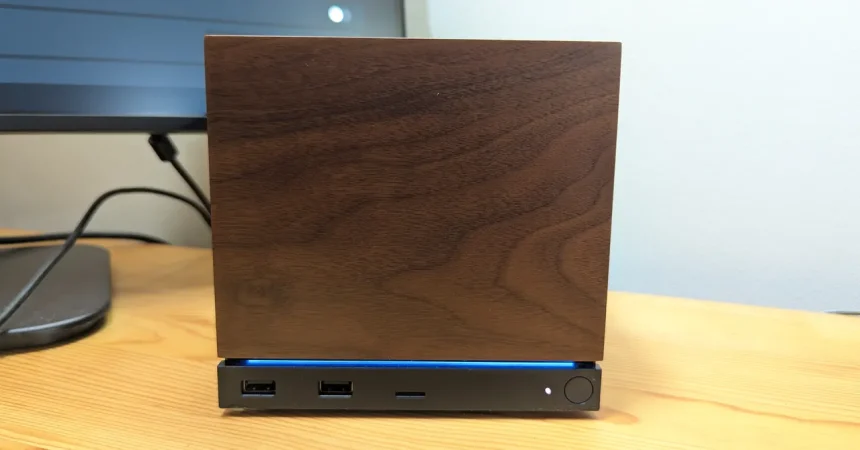
Valve’s latest foray into hardware, the Steam Machine, has generated significant buzz regarding its performance capabilities, specifically the bold marketing claim that it can push “up to 4K at 120 Hz.” While this sounds like a dream for Living Room gamers, it is important to understand the nuance: this resolution is often achieved through software wizardry like AMD’s FidelityFX Super Resolution (FSR) rather than true, native pixel pushing. More interestingly, the “Steam Machine Verified” badge you see on the storefront doesn’t actually guarantee a locked 4K experience. Instead, those certifications are anchored to a standard 1080p benchmark, meaning Valve’s official seal of approval is more about basic playability than high-fidelity luxury.
To see how this holds up in the real world, I put the hardware to the test using a high-end 55-inch 4K OLED TV and a standard 27-inch 1080p desktop monitor. Testing both on HDMI, I tracked frame rates using the console’s built-in performance overlay while cycling through a diverse range of titles: Marvel’s Spider-Man Remastered, Crimson Desert, Lego Batman: Legends of the Dark Knight, and Granblue Fantasy Relink. This selection served as a perfect stress test, ranging from well-optimized modern marvels to notoriously demanding resource hogs, providing a clear picture of what this console can realistically deliver in different visual scenarios.
The experience with Marvel’s Spider-Man Remastered was quite revealing. On the 4K TV, the game defaulted to a sub-4K resolution but maintained a buttery-smooth 60 fps. When I pushed for true 4K without upscaling tools, performance cratered to the 30–45 fps range—serviceable, but not ideal. However, once I toggled FSR on and enabled dynamic resolution scaling, the Steam Machine hit that 60 fps target in 4K beautifully, with no perceptible loss in image clarity. The added benefit of HDR on the OLED display made the colors pop, making this the best-performing title of the bunch and a testament to how effectively upscaling can bridge the gap for mid-range hardware.
The situation grew more complex with Crimson Desert, a developer-heavy title that Valve officially labels as “unsupported.” Technically, it runs, but it’s a rough ride. On the big screen at “Ultra” settings, it struggled to maintain a playable frame rate, stuttering at 20–25 fps during gameplay. Dropping the FSR settings to “Balanced” helped frame rates approach 60 fps, but at a clear cost to visual fidelity, specifically when looking at water and foliage. Curiously, the 1080p monitor handled the game much better, maintaining 60 fps even with heavy features like ray tracing enabled. This suggests that the Steam Machine is surprisingly competent at 1080p, even when playing games it isn’t officially supposed to handle.
Lego Batman: Legends of the Dark Knight presented yet another set of challenges, offering inconsistent frame rates that fluctuated wildly between 15 and 45 fps on the 4K TV. Even with performance-focused upscaling, it struggled to maintain stability during vehicle sequences, dipping uncomfortably low. Interestingly, when I compared these results to the MSI Claw 8 EX AI+, it became clear that the issue likely isn’t the Steam Machine itself, but rather the game’s poor optimization on PC architecture. When a game is fundamentally shaky on modern handheld hardware, no amount of upscaling can make it feel like a polished console experience.
Ultimately, my time with the Steam Machine suggests a device that sits in a very specific sweet spot. It is a fantastic 1080p performer that can occasionally punch well above its weight class when paired with clever upscaling tech on a 4K display. However, it is not a magic bullet; it can’t brute-force its way through poorly optimized code any better than a high-end gaming PC could. If you approach it as a versatile, living-room-friendly gateway to your Steam library—keeping in mind that “Verified” means “it runs” rather than “it runs perfectly”—you’ll find it’s a capable companion for most of your gaming needs.