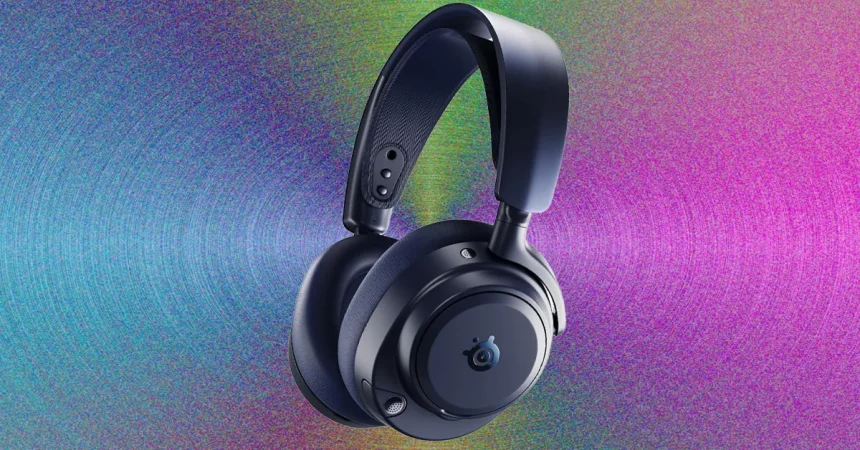
When considering the jump to the new SteelSeries Omni, the most immediate impression is just how versatile these headphones are right out of the box. While they are marketed primarily as a gaming peripheral, they hold their own incredibly well when switching gears to music or movies. I noticed a distinct richness in the audio profile that was noticeably absent in the previous Pro model, especially once you start playing with the EQ presets. Even though audiophile-grade high-resolution audio over a wireless connection is a feature that feels a bit like overkill for simple gaming, it’s a welcome addition for anyone who, like me, prefers to have a playlist running in the background while navigating an open-world game or grinding through a session.
In terms of pure audio quality, the Omni sits in a fascinating middle ground. When you stack it up against the higher-tier Elite model, you can hear that the Elite provides a slightly more expansive soundstage and captures those microscopic, delicate details that really make a mix pop. However, that difference is surprisingly subtle. It’s most audible during quiet musical passages, but when you are in the thick of a gaming session—juggling multiple audio sources, discord calls, and background sound effects—the nuances fade away. I never felt like I was losing out on crucial information or sacrificing immersion by choosing the Omni over its more expensive sibling.
The real “killer app” for the Omni, and the primary justification for its price tag, is its advanced multi-system mixing capabilities. Most standard headsets allow you to connect to one or two devices, but the Omni ups the ante by allowing you to tie in up to four different inputs simultaneously through its dedicated USB hub. While the average user might find four sources to be a bit excessive, it is a game-changer for the power user. If you are someone who streams or plays competitively, you can easily pull your game audio from a console, your voice chat from a PC, and your music or alerts from a mobile device all at once, without the usual headaches of complex routing.
This ability to juggle multiple streams doesn’t stop at just listening; the microphone’s output is equally flexible. The Omni allows you to route your voice to multiple destinations at the same time, which is a brilliant touch for those who find themselves needing to jump between proximity chat in-game and a private Discord room for their friends. It removes the friction of hardware switching, allowing you to stay in the moment without fiddling with settings menus. It’s the kind of quality-of-life feature that makes you realize just how much time we usually waste managing technical setups instead of simply playing.
Beyond the routing capabilities, the microphone hardware itself has received a significant overhaul. Moving to an omni-directional pickup pattern might sound like a minor spec change on paper, but in practice, it’s a huge “thank you” to everyone you play with online. Your teammates will benefit from a much cleaner, crisper signal that stands head and shoulders above the muddy, compressed audio found on most gaming headsets. While I still think the Razer BlackShark V3 Pro holds a slight edge for absolute vocal sharpness, the Omni is a top-tier performer when it comes to practical noise cancellation.
Ultimately, the Omni is designed for the modern gamer who lives in a multi-platform ecosystem. While it doesn’t quite reach the ethereal sound quality of the flagship Elite, it offers a level of practicality and sonic warmth that makes it a massive step forward from the outgoing Pro model. It successfully bridges the gap between a high-end music headset and a functional, professional-grade communication tool. If your current setup involves constant cable swapping or juggling multiple devices to keep your chat and game audio distinct, the Omni doesn’t just improve your sound—it cleans up your entire digital workflow.