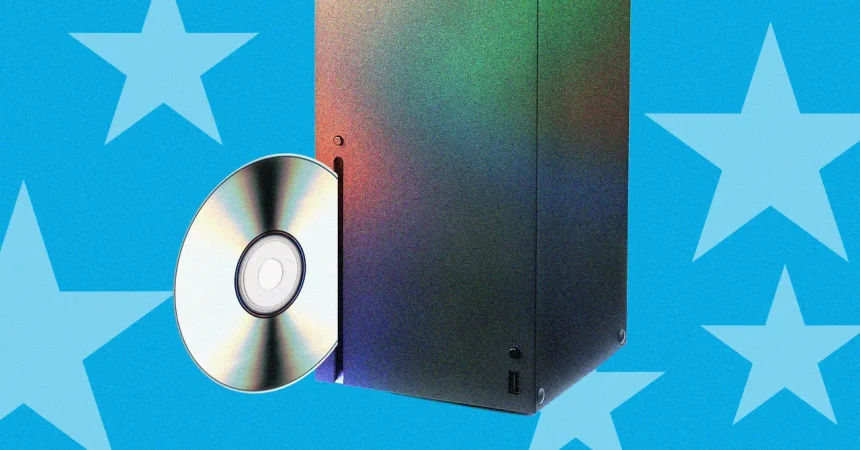
1. You know that feeling when you stumble upon something that seems like a perfect solution, only to realize it comes with a dozen tiny strings attached? That’s exactly how I felt when Microsoft rolled out its Disc-to-Digital feature for Xbox. It promises to turn your pile of physical Xbox One and Series game discs into digital licenses, letting you finally ditch the clutter and go all-digital without repurchasing your library. Sounds like a dream, right? Well, as the fine print reveals, it’s not some magical golden ticket that instantly unlocks every game you’ve ever owned on every device you own. The feature is strictly limited to Xbox One and Xbox Series titles, and for a perfectly logical reason: those discs carry unique identifiers baked into their physical media. These are like fingerprint codes that let the console know precisely which disc it’s dealing with. Xbox 360 and original Xbox discs, by contrast, never had such unique markers. Without those identifiers, if you could “rip” a game and then sell or pass along the disc, you’d essentially be handing someone else a digital license out of thin air—a free-for-all for pirates and resellers. So while it’s a bummer that your old 360 classics can’t join the party, at least the restriction is rooted in protecting the system from blatant abuse.
2. But here’s where things get genuinely weird. When you claim the Disc-to-Digital license for a compatible game, Microsoft delivers a friendly little warning: “Your digital license is linked to your disc. To ensure your digital license stays in your library, keep possession of your game disc.” Now, read that again and let it sink in. The whole point of converting to digital is that you no longer need the physical disc to play. And indeed, after I claimed the license for Lego Ninjago on my Series X, I immediately installed and played it on my Xbox One—no disc ever touched the tray. So why on earth do they want you to keep the disc? Is it just legal caution, or is there a sneaky requirement to periodically re-insert the disc to “refresh” the license? Microsoft hasn’t come out and said anything concrete about this, leaving a big, ambiguous “watch this space.” It makes you wonder if they’re planning some kind of periodic online verification, or if the message is simply to prevent people from selling their physical copies after claiming the license. Until they clarify, you probably shouldn’t dump your disc-drive consoles or trade in your physical games, no matter how tempting it is to clear out those shelves.
3. Now, just because you redeem a digital license doesn’t mean you’re free to play it anywhere you fancy. There’s a whole compatibility puzzle to navigate. You can play your newly digitized Xbox One games on an Xbox Series console, sure, but the reverse doesn’t hold—if a game is Series-exclusive, you can’t run it on an older Xbox One. For PC players using the Xbox app, you’re only in luck if your game is part of Microsoft’s Play Anywhere catalog, which allows cross-buy between console and PC. Same story for Xbox Cloud Gaming: if your game isn’t in that special cloud library, you’re out of luck, even if it’s sitting there in your Xbox account. And here’s the kicker—Microsoft recently tightened the reins on cloud gaming hours. They claimed that “the cost of providing cloud gaming grows as more people use it,” which kind of glosses over the whole AI data-center bill they’ve been racking up. Game Pass Ultimate subscribers now get a measly 15 “free” hours of cloud streaming per month, Premium users get 10, and Essential plan folks are stuck with just five. After that, you have to purchase additional time through the Xbox Store. So even if your Disc-to-Digital game is available in the cloud, you might find yourself watching the clock instead of the gameplay.
4. To be fair, most of these caveats are likely to soften as Microsoft refines the feature over the coming months. Right out of the box, Disc-to-Digital works remarkably well—the process is straightforward, and it genuinely feels like a breath of fresh air for someone like me who’s been tripping over game cases for years. There’s something liberating about converting a physical collection into a neat, digital library that can truly be played without swapping discs. It’s also a very timely move. With modern game install sizes ballooning past the capacity of any Blu-ray disc, the physical disc has basically become a glorified installation key—a way to verify ownership rather than a medium that actually holds the entire game. So why not just convert that key into a digital pass and let the console download the full game from the servers? It’s a logical evolution that saves yourself the trouble of juggling discs, and it fits perfectly into the way we consume games today. Even with its quirks, the feature feels like a consumer-friendly step in the right direction.
5. So what does this mean for the future of the Xbox hardware? If Disc-to-Digital is really taking off, it might be a strong signal that Microsoft is eyeing an all-digital future for the next console generation. After all, why include a disc drive when you can seamlessly convert your physical library? But it’s still too early to declare physical media dead on Xbox. The fact that they’ve implemented Disc-to-Digital as an optional bridge—rather than simply abandoning discs altogether—suggests they’re reluctant to alienate the physical collectors and the second-hand market just yet. It also feels like a carefully crafted experiment: they’re giving us a taste of what a disc-less future could be like, while still respecting the value of ownership. If they can eventually expand the feature to cover older titles (which seems technically tricky but not impossible) and clarify the disc-retention policy, this could become the killer feature that convinces even the most stubborn physical-only holdout to finally embrace digital. But that’s a big “if,” and we’ve seen Microsoft make bold claims before.
6. In the end, Disc-to-Digital is a really good start—easy to use, surprisingly friendly to the player, and a nice reward for sticking with the Xbox ecosystem. It doesn’t solve every backward compatibility problem, and it introduces a little confusion around the whole “keep your disc” thing, but it’s a feature that feels genuinely useful right now. The biggest lessons? Don’t go selling your discs yet, don’t assume every game you convert will be playable in the cloud or on PC, and remember that Microsoft is still working out the kinks. But if you’ve got a stack of Xbox One or Series X games that you’d rather not keep swapping in and out, this is a great way to declutter and streamline your experience. It might not be the golden ticket to a completely frictionless digital future, but it’s definitely a step in that direction—and for this generation at least, it’s a feature that makes the console feel a little more modern, a little more convenient, and a lot more ready for the future. So go ahead and try it, but keep that disc close by, just in case.