

The shift toward remote work has fundamentally changed how we define our office. For many of us, the days of being tethered to a dual-monitor desktop setup are fading, replaced by the reality of working from kitchen tables, coffee shops, or cramped hotel desks. While the modern laptop is a marvel of engineering, its singular screen acts as a bottleneck for efficiency. When you are accustomed to the sprawling “digital canvas” of a multi-monitor office workstation, shrinking your workflow down to a 13- or 15-inch display feels like trying to work through a keyhole. This is where the portable monitor enters the scene, acting as the bridge between the freedom of mobility and the necessity of high-level productivity.
The problem, quite frankly, is that once you’ve experienced the workflow-boosting power of an extra screen, going back to a single display feels sluggish and disorienting. You lose the ability to glance at your email while editing a document, or keep a reference sheet open while managing spreadsheets. Fortunately, the portable monitor market has exploded in recent years to address this specific struggle. These devices are designed to mimic the crisp, expansive feel of an office setup while maintaining a profile thin enough to slide into a messenger bag. Most of these units are elegantly simple, requiring nothing more than a single USB-C cable to draw both video signal and power directly from your laptop, eliminating the need for a chaotic mess of cables and bulky power bricks.
Navigating this market can be daunting, however, because the field is incredibly crowded. It is a landscape occupied by household names in the tech industry as well as a flurry of niche, budget-friendly brands that have popped up overnight. To cut through the noise, I took the time to rigorously test and evaluate 20 different portable monitors, spanning a massive price range from $70 budget options to $700 professional-grade displays. The goal was simple: to determine which of these devices actually delivers on the promise of a “desktop-like” experience without requiring a dedicated office or an external power outlet. By categorizing these devices based on performance, color accuracy, and overall portability, it becomes clear that there is a perfect screen for every type of remote worker.
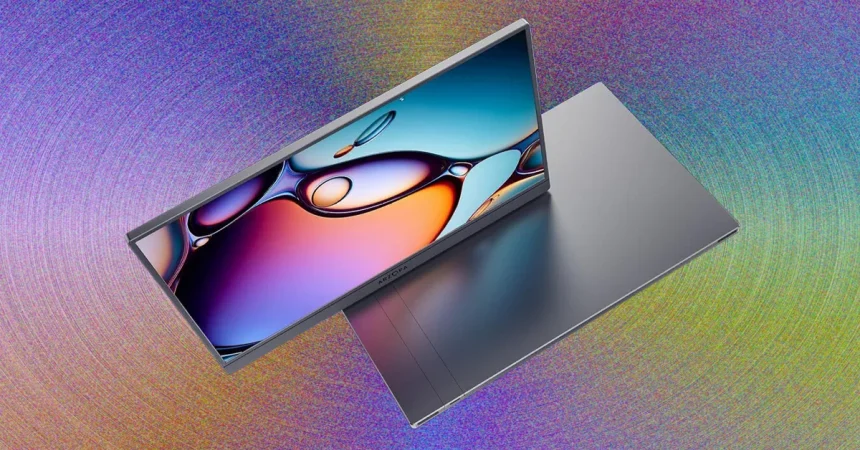
If you are looking for the absolute sweet spot—a device that balances price, quality, and raw performance—the Arzopa Z3FC stands out as the clear winner for the average user. At a price of roughly $136, it feels like an incredible steal given what it brings to the table. Most portable monitors in this price range are lackluster, but the Z3FC boasts a 16.1-inch display with a stunning 2560 x 1440 resolution. Beyond the sharpness, it offers a remarkably high 180 Hz refresh rate. In practical terms, this means scrolling through long documents and moving windows across your screen is incredibly fluid, making the digital experience feel substantially more responsive than your average office monitor. It’s a rare blend of leisure-ready speed and professional-grade clarity.
Beyond the raw specifications, the hardware design of the Z3FC addresses the biggest pain point of mobile work: weight and bulk. It is shockingly lightweight at just 1.64 pounds, ensuring that your bag doesn’t feel like a lead weight during a commute. The clever built-in kickstand arm flips out from the rear, providing a sturdy base without the unnecessary bulk of protective covers or heavy metal stands. In my testing, the color reproduction was equally impressive; it covers 99% of the sRGB color space, meaning if you work in design, photography, or even light video editing, you can trust what you see on the screen. It is a rare example of a product that doesn’t just meet a requirement—it exceeds it by providing an experience that feels like a permanent monitor rather than a fragile accessory.
Ultimately, picking the right portable monitor comes down to understanding your own habits. For a power user, the connection options are vital, and the Z3FC shines here as well. With dual USB-C ports and a mini-HDMI port, it offers the flexibility to connect to almost any device, from your laptop to a gaming console, without needing a wall socket for power. It reminds us that productivity doesn’t have to be tied to a cubicle. Whether you are a digital nomad traveling across the world or simply someone trying to reclaim their desk space at home, adding a high-quality portable screen is the fastest way to upgrade your quality of life. It turns a temporary workspace into a legitimate command center, allowing you to reclaim the productivity that usually gets lost when you leave the office behind.