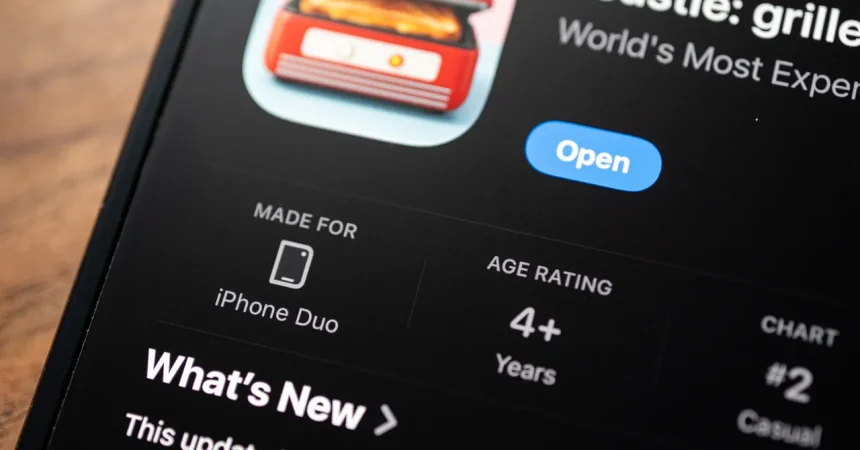
The iPhone Duo arrives after seven years of Android folding phones, and yet Apple’s first foldable has somehow made that old form factor feel brand new again. For years, app developers treated foldable screens as an afterthought, a bigger canvas with a weird crease in the middle. But now that the Duo is here, my inbox is absolutely flooded with indie developers who want to show off what they’ve built for Apple’s hinge. It’s a strange and wonderful feeling. I’ve reviewed nearly every foldable phone of the past decade, and I’ve never seen this kind of energy around software. These apps are not all practical, and that’s exactly why they’re so exciting. There are toys, games, tools, and little experiments that only make sense on a phone that bends in half. Apple is even adding a “Made for iPhone Duo” badge to apps that take real advantage of the larger screens, which will help people find this bizarre and delightful new ecosystem. The best part? Android owners are watching from the sidelines, feeling like second-class citizens again, even though they’ve had foldable hardware for years. The difference is that Apple’s arrival has finally given developers permission to be playful with a device that had already started to feel ordinary.
If you love board games, the iPhone Duo is about to become your favorite gaming table. Battlefleet Duo is the perfect example of what this hardware can do. On the 7.6-inch inner screen, you get plenty of room for a tactical battle, but the real magic happens in tabletop mode. Prop the Duo up at an angle, place it between you and a friend, and the bottom screen shows your fleet while the top screen shows your opponent’s. It feels just like the old-school Battleship game, except your friend is sitting across from you, watching your reactions as you try to guess where their ships are hiding. If you both have an iPhone Duo, you can play local multiplayer, which makes for a wonderfully social experience that most phone games have lost. There’s a whole nostalgic, tactile quality to it. You’re not just tapping a screen and staring at the same square; you’re actually looking at a shared object, like a board game, but with all the digital polish and convenience of a modern app. The game offers two free battles per day, which is enough to get a taste, but the one-time $5 purchase to unlock unlimited battles is an easy recommendation. No ads, no subscriptions, just a clean, simple way to play Battleship with a folding twist.
Flipcorder: Retro Camcorder is the kind of app that makes you smile before you even press record. It taps into our collective nostalgia for the grainy, shaky, magnetic-tape home movies of the nineties and early two-thousands. When you open the app, the outer display shows a closed lens cap, and the moment you unfold the phone, the cap is “removed” and you’re ready to shoot. It’s a tiny physical gesture, but it makes the whole experience feel like operating an actual camcorder. The interface is deliberately old-school, with chunky buttons and a retro font, and every clip you shoot is filtered to look like VHS or MiniDV footage. What’s really clever is how your recordings are organized: instead of a standard camera roll full of tiny thumbnails, Flipcorder catalogs your footage by day, stitching together all of the shots from a single session into one long, continuous “tape.” You can watch thirty minutes of your life play back in one uninterrupted stream, complete with burnt-in time stamps and all the visual noise of old consumer video. It’s a lovely, emotional way to capture memories, especially if you grew up with a camcorder in your family. The app also takes advantage of the Duo’s dual displays in a way that only camera apps can: while you’re recording, the person in front of you can see themselves on the outer screen, like a mirror or a preview. That little feature turns the phone into a social object, letting the subject be part of the experience rather than just staring at the lens. It’s a reminder that foldable phones aren’t just about bigger screens; they’re about creating new relationships between the person holding the device and the people around them.
RectoVerso is a flashcard app that finally makes studying feel less like a chore and more like a ritual. There are a million flashcard apps on the App Store, but almost all of them treat the phone like a deck of cards on a flat screen. RectoVerso understands that the iPhone Duo is actually a physical object, and it uses the hinge to recreate the simple act of flipping a card over. You import your own text, whether it’s class notes or a PDF, and the app can use Apple Intelligence to automatically generate flashcards from the material. You can also import decks from Anki or write your own, so it fits into existing study workflows. But the real magic is in how you review. When you’re trying to recall an answer, you don’t just tap the screen. You slightly open the phone, and the answer begins to appear as if it’s being revealed from behind the fold. Open it fully, and the entire answer is visible. That physical gesture—closing the phone when you’ve got it right, cracking it open just a little when you’re struggling—creates a much stronger connection between your hands and your brain. It’s the same reason people remember things better when they write them down. The act of physically uncovering information makes the information feel more real. At $13, it’s more expensive than your typical flashcard app, but for students who already love the Duo, this could be one of those apps that genuinely improves how they study. It’s also just fun. You’ll find yourself cracking the phone open to reveal an answer slightly too early, then slapping your hand on the desk and saying, “Ah, I totally knew that,” before closing it and moving on to the next card. That’s not something you get with a flat slab phone.
PianoFold is a rhythm game that looks like an interactive musical desk toy. You set the iPhone Duo at a 90-degree angle, sort of like a tiny laptop, and colorful blocks fall down the screen until they reach the crease in the middle. That’s when you tap the matching column, trying to time your hits perfectly so you don’t ruin Bach or Mozart in real time. The crease becomes the active play field, and it’s surprisingly satisfying to use the physical fold as part of the gameplay. The game has 40 levels spread across eight chapters, with each song rated out of three stars, and you can retry as many times as you like. The first two chapters are free, and you can play one extra free song per day, but the full game costs just $5 with no ads and no subscription. It’s a perfect example of the kind of low-stakes, purely playful app that Apple’s foldable seems to inspire. Then there’s Toastie, which might be the most charming app I’ve ever seen. It costs $3, and it turns your brand-new, very expensive iPhone Duo into a toaster. Yes, a toaster. You construct a sandwich on the inner screen, following specific recipes with ingredients arranged in a particular order. When you’re done, you close the phone and hold it closed for a few seconds, just like a toaster grilling your sandwich. Open it back up, and your sandwich is grilled. It’s ridiculous, but it’s also wonderful. There are only ten recipes, so you’ll probably get through the whole thing in an afternoon, but it’s the kind of experience that makes you show your partner or your friends and say, “Look at this. I just grilled a sandwich with my phone.” I showed it to my wife, who uses an Android phone, and she said it might be the first time she ever wanted an iPhone. That’s high praise, and it perfectly captures the spirit of this first wave of Duo apps.
For people who want a little more serenity, Portal offers a beautifully designed escape. It lets you play relaxing soundscapes, from bubbling volcano lava to waves crashing on a beach, and it uses the Duo’s large screen to show you those sights as well. In tabletop mode, the phone stands on its own like a little landscape painting. In tent mode, the outer screen can display the scene while the phone sits on your nightstand, making it an ideal companion for travelers who rely on a sound machine to fall asleep. The app also includes breathing exercises and focus timers, so it’s not just a sleep aid; it’s a general calm-your-nervous-system tool that fits neatly into a daily routine. There are more than 100 vistas, from Iceland’s black beaches to enchanted woodlands in the UK, and the combination of high-quality audio and visual ambience makes it feel much more immersive than a typical weather app. It’s free to start, but you only get access to three portals, which rotate monthly. Full access costs $3 per month, $30 per year, or $100 for a lifetime membership, which is a bit steep for a relaxation app, but the production value is genuinely high. The real takeaway from all these apps, though, is that the iPhone Duo isn’t just a bigger-screened smartphone. It’s a new kind of object. The hinge invites physical interactions, playful gestures, and social multiplayer experiences that don’t have direct equivalents on a regular phone. Some of these apps are practical, some are utterly absurd, and some are just delightful ways to spend thirty minutes. They may not all be essential, but they show that developers are finally thinking about folding phones as something more than a gimmick. After seven years of Android trying to make foldables work, it took Apple to get developers to treat the form factor with creativity, humor, and heart. Android owners have every right to feel annoyed. But for iPhone Duo owners, this is just the beginning, and if the first wave of apps is any indication, we’re in for a wonderfully weird future.