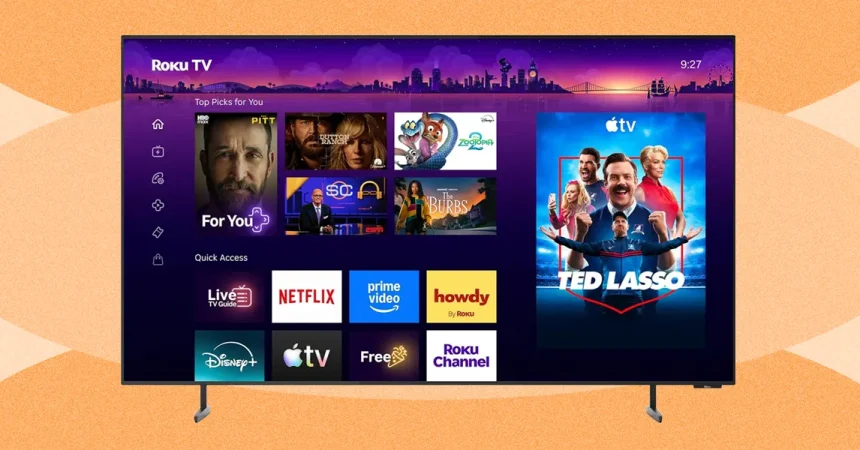
I’ll admit it: I’m the kind of person who can’t just sit and watch TV without poking at the settings, flipping between inputs, and judging everything through a slightly obsessive lens. So when I had the Apple TV app running and decided to check out a live soccer match, I wasn’t just watching the game—I was watching the television itself. The action looked sharp and smooth, exactly what you’d expect from a 120-Hz refresh rate, and yes, the match itself had those long, drowsy stretches that make soccer the eternal punchline for people who need constant stimulation. Then I switched over to an NFL game on DirecTV, and the same buttery smoothness carried over. Football, with all its quick cuts and deep passes, looked clean and fluid, no judder, no blur. That alone was a good sign. But I really wanted to push this TV, so I grabbed my Xbox controller. The low-latency game mode kicked in automatically, which is one of those small conveniences you don’t realize you love until you never have to go digging through a dozen menus to turn it on. I played through some Cuphead, with its 1930s cartoon palette of muted creams, deep reds, and ink-black outlines, and then switched over to Burnout: Paradise, a candy-colored explosion of neon and chrome. Both games looked crisp and vivid, with fast response times and absolutely zero ghosting. For a first OLED from Roku, that was a promising start. It was clear this wasn’t just a budget panel with a recognizable brand name slapped on it—there was real engineering here, tuned for people who want both performance and simplicity.
Then came the serious color testing, the kind of thing that separates a decent TV from a great one. I clicked into Planet Earth II on HBO Max, partly because I’m a sucker for nature documentaries and partly because those sweeping landscapes and extreme close-ups of iridescent feathers are basically a torture test for any display. I pulled up Pixar’s Coco on Disney+, with its kaleidoscope of marigolds, papel picado, and glowing skeletons. I even found some so-called “8K” nature videos on YouTube, which are usually more about sampling rate than actual resolution, but they give you a sense of how a panel handles bright greens, deep blues, and high-contrast shadows. And then, to step it up, I popped in an Inglourious Basterds 4K Blu-ray on the Xbox. Across the board, the Roku Pro Series produced vibrant, richly detailed color. Reds were warm, skin tones were believable, and blacks were genuinely deep—the kind of inky black that OLED buyers crave. But there was a slight catch. Compared to the high-end LG and Sony OLEDs I’ve spent time with, this Roku didn’t have quite the same “pop.” Colors were gorgeous, but they felt a little more restrained, a little less explosive. Some of that comes down to the panel’s limited brightness. High-end OLEDs can get searingly bright, which makes highlights look like they’re glowing from within. The Roku, by contrast, plays it a bit cooler and softer. Whether that’s a bad thing is genuinely up for debate. There are plenty of folks—I’ll admit I’m sometimes one of them—who think the premium OLEDs oversaturate everything, turning a simple conversation scene into a fireworks display. The shiny colors can be more of a distraction than an enhancement. With the Roku, you get a more natural, understated image, the kind that doesn’t shout at you. If you’re the type who likes your movies to feel like real life, that’s a point in its favor. If you want your TV to feel like an amusement park, you’ll be left wanting more.
One of the most interesting features this TV brings to the table is something Roku calls Smart Picture Max. It’s an automatic system that tries to figure out what kind of content you’re watching and tweaks the display settings accordingly. That kind of thing can feel like a gimmick, and honestly, it’s hard to measure exactly how much it’s doing to color and brightness. But there’s one clearly quantifiable benefit: motion smoothing. You know that dreaded “soap opera effect” that makes movies look like behind-the-scenes footage filmed on a camcorder? That’s caused by motion interpolation, and for most TV shows and movies, Smart Picture Max turns it off automatically. That’s a huge deal. I can’t tell you how many TVs I’ve used where I had to go into the picture settings, find the motion smoothing option, and turn it off manually—and then turn it back on later for sports or gaming, where it actually helps. The Roku just handles it for you. It gives you a clean, cinematic look without any extra effort, which puts it a leg up over most OLEDs on the market. Those often default to motion smoothing on, which means you’re forced to do the whole manual dance through the menu settings, and if you have multiple people using the TV, someone is inevitably going to get annoyed when the next movie looks like a soap opera. The Roku’s approach feels thoughtful, like the TV is actually on your side. There is one catch, though: if you’re watching Dolby Vision content, it overrides Smart Picture Max, which means motion smoothing can sneak back in. Fortunately, Roku makes it incredibly easy to fix that. You just press the star button on your remote, and a quick settings menu pops up right there on top of whatever you’re watching. I found the smoothing toggle within a few clicks and turned it off in seconds. Best of all, any change you make applies instantly to the picture, so you don’t have to exit the menu, scroll to a different test scene, and wonder if you actually made a difference. You see the result immediately, and that’s the kind of design choice that makes everyday use feel effortless.
Now, for all the love I can give the visuals, I have to be honest about the audio, because it’s the weak link in an otherwise solid package. The Roku Pro Series has Dolby Atmos support, which sounds impressive on paper. But that support does absolutely nothing to improve the TV’s built-in speakers, and those speakers are, frankly, not great. They push out plenty of volume, but the higher you go, the harsher and shriller they get. I noticed it almost right away. When I was watching the Inglourious Basterds 4K Blu-ray, the opening measures of Nick Perito’s “The Green Leaves of Summer” started playing, and it was deeply unpleasant even at a modest volume. The strings had a thin, piercing quality that made me wince. That was a surprise, because Roku’s previous Pro Series TV sounded much better overall. This new model feels like they made some compromises to hit a price point, and the speakers are where those compromises show. At low volumes in a small room, they’re tolerable. You can watch a sitcom or a talk show without feeling like you’re missing something. But for anything with a real soundtrack, action scenes, or just a lively movie night, you’re going to want a soundbar. That’s not the end of the world—most TVs at this price level have mediocre built-in audio—but it’s worth knowing before you buy. If you’re investing in an OLED, you’re probably someone who cares about picture quality, and once you see how good the picture is, you’ll want audio that keeps up. Plan on spending a little extra on a soundbar, and you’ll be much happier with the overall experience.
So where does that leave us? In the end, Roku’s first OLED isn’t going to win over die-hard fans of premium panels. It’s a budget model through and through, probably on par with LG’s similarly affordable B6 OLED from a few years back. It doesn’t have the extreme brightness, the hyper-saturated color, or the jaw-dropping punch of a high-end Sony or LG. The speakers are underwhelming, and the overall build quality doesn’t scream luxury. But here’s the thing: it’s still an OLED. That means you get all the fundamental OLED advantages that people crave—vivid, accurate color, pitch-black blacks, and strong contrast that makes shadows and highlights feel dimensional. In a dark room, this TV can look absolutely stunning, with a level of depth that LCD panels simply can’t replicate. And on top of that, you get the Roku remote, interface, and automated image adjustments, which add up to a truly splendid user experience. The remote is simple and comfortable, the interface is fast and uncluttered, and the fact that the TV does smart things like disabling motion smoothing without being asked makes it feel like a product designed by people who actually watch movies. It’s not flashy, and it won’t impress your friends with a wall of pure brightness. But it will let you sit down, turn something on, and just enjoy it without fighting the technology.
If you’re in the market for a TV and your budget is tight, this is a seriously tempting option. The key is not to pay full price. OLED panels have dropped in price over the years, but they’re still a premium technology, and a budget OLED means some corners have to get shaved. The Roku Pro Series is a fantastic value when it goes on sale, and it goes on sale pretty frequently. Black Friday is the obvious moment, but you’ll see discounts around other big shopping holidays too. If you can snag this TV at a discounted price, you’ll feel like you’re getting a steal. Because you kind of are. It gives you that gorgeous OLED black level, a smooth 120-Hz refresh rate, low-latency gaming, and one of the best user interfaces in the industry, all wrapped up in a package that won’t break the bank. You just have to accept its limitations: modest brightness, speakers that need help, and a color palette that leans natural instead of explosive. If you’re the kind of person who loves tweaking settings and chasing every last bit of performance, you might want to save up for the pricier models. But if you want a TV that looks great, is easy to use, and does the smart things for you, the Roku Pro Series OLED is a winner. Just wait for the next sale, grab a soundbar, and you’ll have yourself a setup that feels like a million bucks for a fraction of the price.