There’s a quiet little secret about home backup batteries that often gets buried under all the talk of blackouts and emergency preparedness: they can actually earn their keep on an ordinary day. Most utilities offer what’s called Time of Use, or TOU, billing, which means the price you pay for electricity changes depending on the time of day. For years, I’d been on the same flat-rate plan since I moved into my house, and it never occurred to me that my provider might have something better hidden away. But when I started reviewing the BioLite Backup battery, I decided to do some digging. Sure enough, my utility offered a TOU plan, and I switched over without much hesitation. The idea is beautifully simple: during peak hours, typically late afternoon and evening, electricity gets more expensive; during off-peak hours, usually overnight, it’s significantly cheaper. So instead of pulling power from the grid when it’s pricey, you run your essential appliances off the battery you’ve charged when power was cheap. It’s a bit like buying groceries on sale and saving them for the week, except the pantry is a lithium-ion bank bolted to your wall. For anyone who already owns a backup battery, this is a no-brainer way to shave a little off the monthly electric bill, and for anyone considering one, it makes the upfront cost feel at least a little less painful.
Setting all of this up in the BioLite Backup app is easier than I expected, which is good because the concept can sound intimidating if you’re not used to energy management. Under the Scheduling tab, you simply choose the time of day you want the battery to start powering your stuff and the time you want it to switch back to grid power. You can also tell it when not to charge, and you can set a lower limit on how far the battery is allowed to drain, so you’re never left with zero reserve in case the grid suddenly drops. Weekends can be excluded from the schedule entirely, which makes sense if your utility prices off-peak hours differently on Saturdays and Sundays. So far, so good. But there are limitations, and they’re the kind that make you wonder if the software team fully tested the product against real-world utility plans. For instance, you cannot set multiple on/off cycles in a single day. My utility has two separate peak periods during the winter, which means a simple one-start-one-stop schedule doesn’t match my rate structure at all. You also can’t set different schedules for different seasons, and my utility changes its billing calendar three times a year. If you’re spending thousands of dollars on batteries, you’d think granular control would be a given. To be fair, the app did eventually save my schedule, but only after I hit a bug that left it stuck and required force-quitting the app and starting over. It’s a capable app, but it’s not quite as flexible as the hardware deserves.
What bothers me even more, though, is the lack of logging. I’m the kind of person who loves charts, spreadsheets, and data, especially when it comes to understanding whether a big purchase is actually paying off. With the BioLite Backup, I was hoping to see exactly how long the battery ran each day, how many watt-hours it used, how much it took to recharge, and even a rough estimate of the money saved by shifting my usage away from peak hours. But the app doesn’t give you any of that. There’s a simple log of when outages occurred, plus a list of errors and firmware updates, and that’s about it. No historical runtime data, no energy accounting, no savings counter. For a product that’s supposed to be smart, it feels a bit like a phone that tells you the time but not the date. The raw numbers are easy enough to calculate on paper, of course, but having real measured data would transform the experience. You’d be able to tune your habits, see the impact of an unusually hot week with more refrigerator cycling, and maybe even catch a component that’s slowly losing efficiency. Instead, you’re left with blind faith and back-of-the-envelope math, which is a shame for a product aimed at technically inclined homeowners.
Speaking of math, let’s talk about what I actually saved. I did the rough calculations, and the results are honest but not exactly thrilling. In the fall, I can shift four hours of refrigerator load, from 5 pm to 9 pm, from the grid to the battery. The electricity I’m avoiding costs 8.6 cents per kilowatt-hour, while the power used to recharge the battery overnight costs only 4.3 cents per kilowatt-hour. That’s a spread of about 4.3 cents, and over the course of a day I’m moving roughly 680 watt-hours from the expensive window to the cheap one. That works out to about three cents per day, or roughly a dollar a month. Let me repeat that: a dollar. It’s almost laughable if you’re doing it for the savings alone, but I have to admit it’s not nothing either. In the summer, the peak rate jumps to 16.2 cents per kilowatt-hour, so that same shift saves me around three dollars a month. Still not a fortune, but multiply it by twelve and it starts to feel like a couple of cups of coffee. And if your utility has even steeper peak rates, or if you can shift a bigger load like an electric vehicle charging session, the numbers get more interesting. But for most households, the financial return on TOU arbitrage will never come close to paying for the battery itself. This feature is a bonus, not a business case.
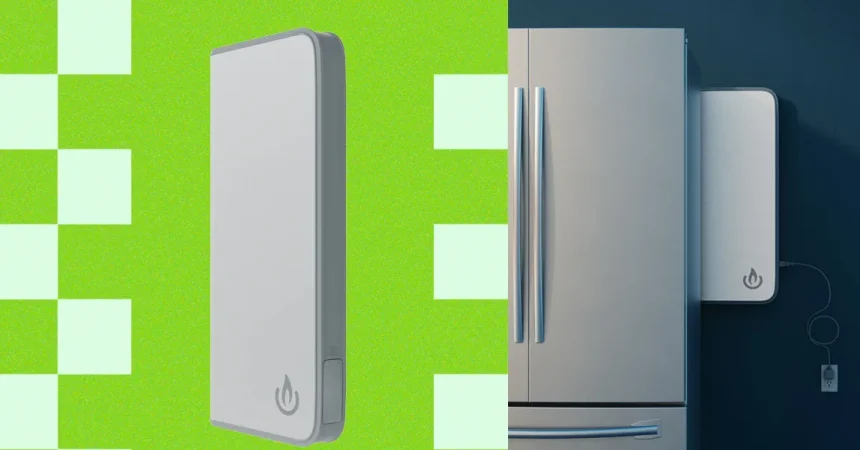
There is one more nice touch that I genuinely appreciated, even if I didn’t end up using it. BioLite includes a power strip with the Backup unit, and it has a magnetic backing that lets you stick it right onto the side of your refrigerator or any other metallic surface. The strip plugs into a second outlet on the battery and gives you three standard AC outlets plus two USB-A and two USB-C ports. It’s a thoughtful little addition, the kind of thing that shows the designers were thinking about real life. In my case, I didn’t have a convenient place to mount it, and honestly, I didn’t have anything else that needed to be backed up, so it sat in the box. But the moment a winter storm knocks out the power, I’ll be glad it’s there, ready to power some lights, a phone charger, or a small radio. The big battery itself is also seriously capable, with 1,800 watts of continuous output, enough to run a microwave oven, an air fryer, or a handful of other appliances that would normally be useless during an outage. That kind of power transforms the backup system from a lifesaver for your frozen peas into something that can keep daily life almost normal, even with the house dark around you.
All of this brings me to the unavoidable question: is the BioLite Backup worth it? At $1,999 for a single battery and $3,499 for a pair, the honest answer is that the math is hard to justify if you’re thinking purely in dollars and cents. The electricity savings are real but small, and the convenience of smart scheduling is nice but limited. What you’re really paying for is peace of mind, the ability to keep your groceries from spoiling when an ice storm takes down the lines, to cook a hot meal in the middle of a blackout, and to keep a few lights glowing while the rest of the neighborhood goes dark. It’s like buying a life vest: you hope you never need it, but when you do, it’s worth every cent. The Backup by BioLite is a well-designed, capable piece of equipment with room to grow in its software, and while it’s not an investment you make for the monthly savings, it’s a comforting insurance policy that happens to trim a little off your electric bill along the way. If that kind of practical, honest tech insight matters to you, there’s more where this came from with unlimited access to WIRED.